An llms-full.txt file can help summarize public documentation, but it should not become a dump of every WordPress page. The file needs a clear scope, canonical URLs, and a repeatable update process.
Use this for WordPress sites with documentation, service guides, product tutorials, support articles, or technical reference pages that should be understandable in AI search and answer engines.
Quick answer
llms-full.txt for WordPress Documentation Pages should be handled with a narrow evidence-first workflow: define scope, write summaries, use canonical urls, then verify the result before making broader changes.
What to check first
- Choose only public, canonical, high-value documentation pages.
- Write short page summaries that explain who each page helps and when to use it.
- Link to canonical URLs, not duplicate print, tag, archive, or filtered URLs.
- Exclude private docs, client notes, staging URLs, internal credentials, and draft content.
- Refresh the file when docs, pricing, services, examples, or APIs change.
Diagnostic table
Use this table to keep the work practical. It connects the symptom to evidence and a verification step.
| Action | Evidence to collect | How to verify |
|---|
| Define scope | Choose only public, canonical, high-value documentation pages. | The file returns 200 as plain text or Markdown. |
| Write summaries | Write short page summaries that explain who each page helps and when to use it. | Every linked page is public, canonical, and useful. |
| Use canonical URLs | Link to canonical URLs, not duplicate print, tag, archive, or filtered URLs. | No private or client-specific content appears in the file. |
| Exclude private content | Exclude private docs, client notes, staging URLs, internal credentials, and draft content. | The update process has an owner and date. |
Useful command or data shape
Adapt paths, IDs, and privacy handling to the site before running commands or storing data on production.
# /llms-full.txt
# Example WordPress Documentation

## Troubleshooting
- [WordPress Malware Cleanup](https://example.com/docs/malware-cleanup): Steps to contain, clean, verify, and monitor a hacked site.
- [WooCommerce Tracking](https://example.com/docs/woocommerce-tracking): Data layer, order ID, GA4, Google Ads, and deduplication notes.
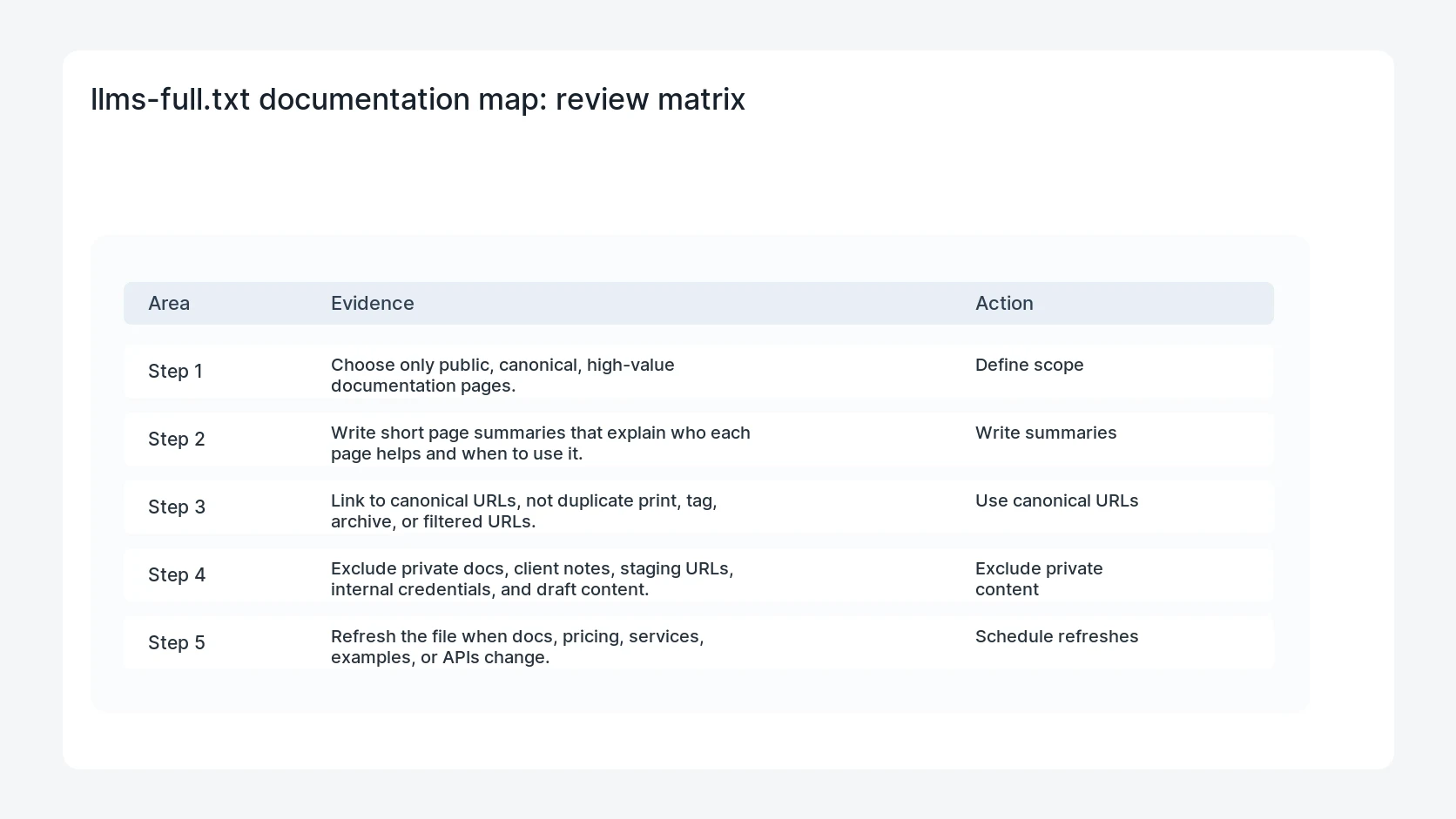
Safe fix order
Do the work in a sequence that makes each result easy to prove. Stop if a step produces new evidence that changes the incident scope.
- Define scope
- Write summaries
- Use canonical URLs
- Exclude private content
- Schedule refreshes
Production verification checklist
- The file returns 200 as plain text or Markdown.
- Every linked page is public, canonical, and useful.
- No private or client-specific content appears in the file.
- The update process has an owner and date.
Mistakes to avoid
- Do not judge the fix by one browser or the homepage only.
- Do not delete evidence before recording usernames, file paths, timestamps, and response headers.
- Do not add a cache, security, or tracking plugin while the original problem is still unclear.
- Do not leave test users, temporary debug logs, or broad API keys active after verification.
When HandL WP should help
Bring in help when this affects leads, checkout, search visibility, malware risk, paid media reporting, or a client production site. HandL WP can trace the issue through WordPress, hosting, cache, tracking, and Search Console, then verify the workflow after the technical fix.
If this is active on a production site, prepare WordPress docs for AI search.
Helpful references