When a visitor denies tracking consent, WordPress should not quietly send the same Meta lead event server-side unless the site's privacy policy, consent banner, and legal basis support that behavior. Consent needs to travel with the event.
Use this for WordPress lead forms, WooCommerce checkout, Meta CAPI integrations, CRM webhooks, and server-side tag gateways.
Quick answer
Meta Pixel Consent Denied Server Event Suppression should be handled with a narrow evidence-first workflow: write policy, pass consent, suppress events, then verify the result before making broader changes.
What to check first
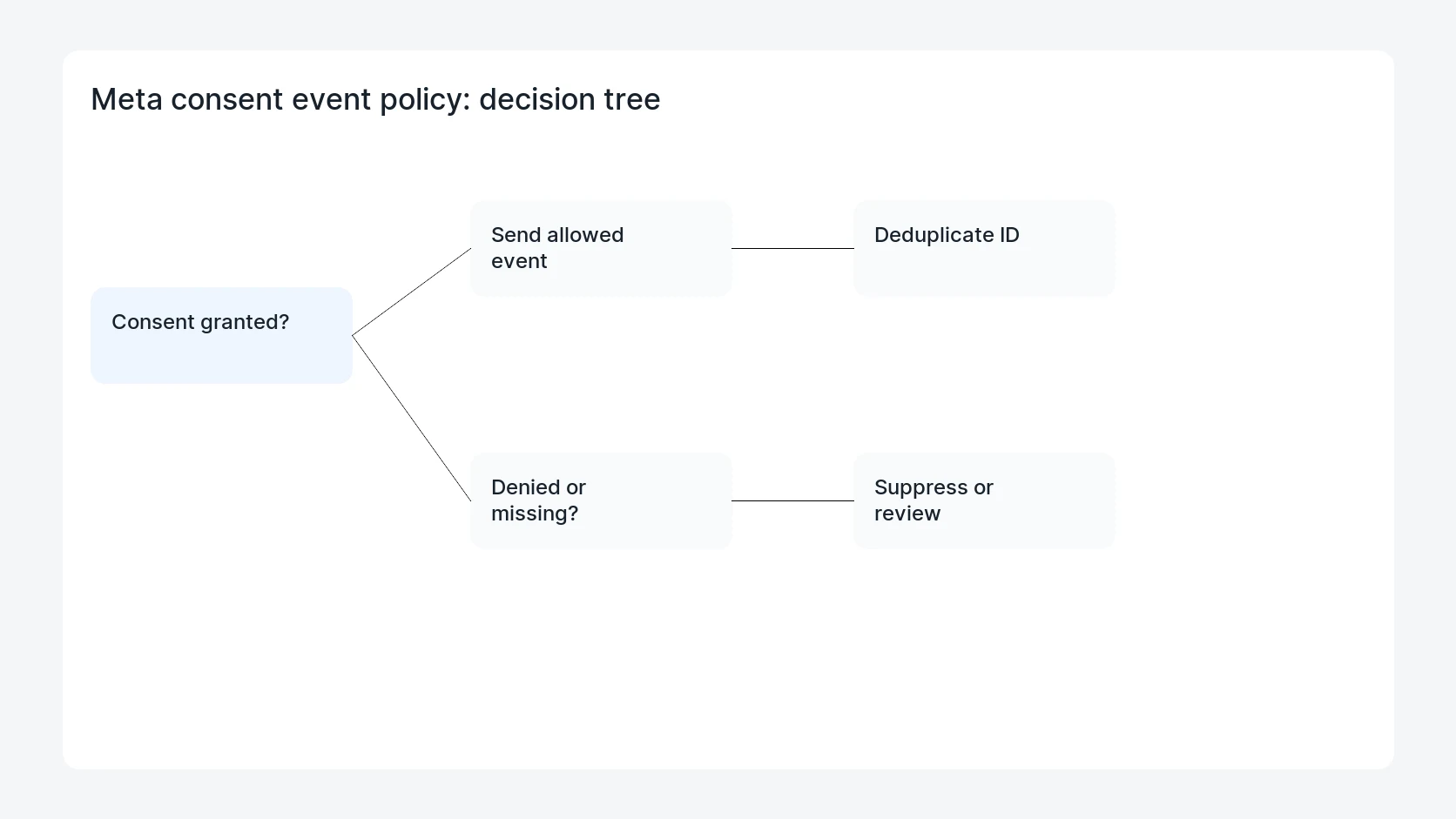
- Document what each consent state allows for browser Pixel, server CAPI, CRM storage, and ad-platform upload.
- Pass consent state from the banner to the form submission and server event mapper.
- Suppress, modify, or route server events when consent is denied according to policy.
- Preserve event IDs for allowed events so Pixel and CAPI deduplication still works.
- Log suppression decisions without storing unnecessary personal data.
Diagnostic table
Use this table to keep the work practical. It connects the symptom to evidence and a verification step.
| Action | Evidence to collect | How to verify |
|---|
| Write policy | Document what each consent state allows for browser Pixel, server CAPI, CRM storage, and ad-platform upload. | Denied-consent test submissions do not send Meta marketing events. |
| Pass consent | Pass consent state from the banner to the form submission and server event mapper. | Granted-consent test submissions deduplicate browser and server events. |
| Suppress events | Suppress, modify, or route server events when consent is denied according to policy. | Missing-consent submissions are flagged for instrumentation review. |
| Keep allowed IDs | Preserve event IDs for allowed events so Pixel and CAPI deduplication still works. | Suppression logs explain counts without exposing unnecessary personal data. |
Why this usually happens
- Server-side tracking can keep firing after browser tags are blocked unless it reads the same consent state.
- Meta CAPI integrations are often added by plugin, webhook, or server container without a shared policy table.
- Deduplication logic can be correct while consent handling is wrong.
- Marketing reports may show fewer events after suppression, but that can be the intended privacy behavior.
Field notes
- Keep the policy table short enough for non-technical stakeholders to approve.
- Do not treat missing consent as allowed consent. Investigate why the field is missing.
- Log event suppression counts by page and form so instrumentation problems are visible.
Useful command or data shape
Adapt paths, IDs, and privacy handling to the site before running commands or storing data on production.
event_policy:
  consent_state: denied
  browser_pixel: suppress
  meta_capi: suppress
  crm_storage: store_operational_lead
  event_id: keep_internal_only
  log_reason: user_denied_marketing_storage
Safe fix order
Do the work in a sequence that makes each result easy to prove. Stop if a step produces new evidence that changes the incident scope.
- Write policy
- Pass consent
- Suppress events
- Keep allowed IDs
- Log decisions
What to tell the client or owner
Give the owner a plain policy table: what fires when consent is granted, denied, missing, or withdrawn, and how that affects Meta reporting.
Production verification checklist
- Denied-consent test submissions do not send Meta marketing events.
- Granted-consent test submissions deduplicate browser and server events.
- Missing-consent submissions are flagged for instrumentation review.
- Suppression logs explain counts without exposing unnecessary personal data.
Mistakes to avoid
- Do not judge the fix by one browser or the homepage only.
- Do not delete evidence before recording usernames, file paths, timestamps, and response headers.
- Do not add a cache, security, or tracking plugin while the original problem is still unclear.
- Do not leave test users, temporary debug logs, or broad API keys active after verification.
When HandL WP should help
Bring in help when this affects leads, checkout, search visibility, malware risk, paid media reporting, or a client production site. HandL WP can trace the issue through WordPress, hosting, cache, tracking, and Search Console, then verify the workflow after the technical fix.
If this is active on a production site, audit WordPress tracking consent.
Related HandL WP guides
Use these related guides when the same issue touches tracking, security, checkout, or crawler visibility.
Helpful references