Generative AI visibility can behave differently from classic blue-link SEO. WordPress teams should review which pages appear in AI features, then strengthen pages that answer high-intent questions clearly.
Use this for WordPress sites that publish service pages, troubleshooting posts, product documentation, or comparison content and want to understand AI search visibility.
Quick answer
Start with evidence, not a plugin setting. The first useful checks are: Compare generative AI impressions against normal search performance for the same topic. Look for pages that get AI visibility but weak clicks and improve the answer path. Add direct definitions, steps, tables, and original examples where the page is vague. Keep every change small enough to reverse.
Fast diagnosis map
Use this map before changing production. It helps separate a real platform issue from a cached page, stale setting, or missing handoff.
| Signal | What it means | Useful next check |
|---|
| AI impressions rising | Check access, users, or ownership first | Export AI queries |
| Clicks lower than impressions | Look for a configuration, plugin, or data mismatch | Map landing pages |
| Wrong landing page cited | Inspect the layer most likely to be hidden from the normal UI | Improve answer blocks |
| No answer block on page | Prove whether the problem is still active | Add source-backed detail |
What to check first
- Compare generative AI impressions against normal search performance for the same topic.
- Look for pages that get AI visibility but weak clicks and improve the answer path.
- Add direct definitions, steps, tables, and original examples where the page is vague.
- Keep publication dates and update dates accurate.
- Do not invent AI-specific schema. Use normal valid structured data where it fits.
Run a focused check
These commands or fields give you a useful starting point. Adapt paths, IDs, and privacy handling to the site before running anything on production.
review_cycle:
  - export top generative AI queries
  - map query to landing page
  - check direct answer in first 150 words
  - add table or checklist where useful
  - update internal links to service and support pages
Safe fix order
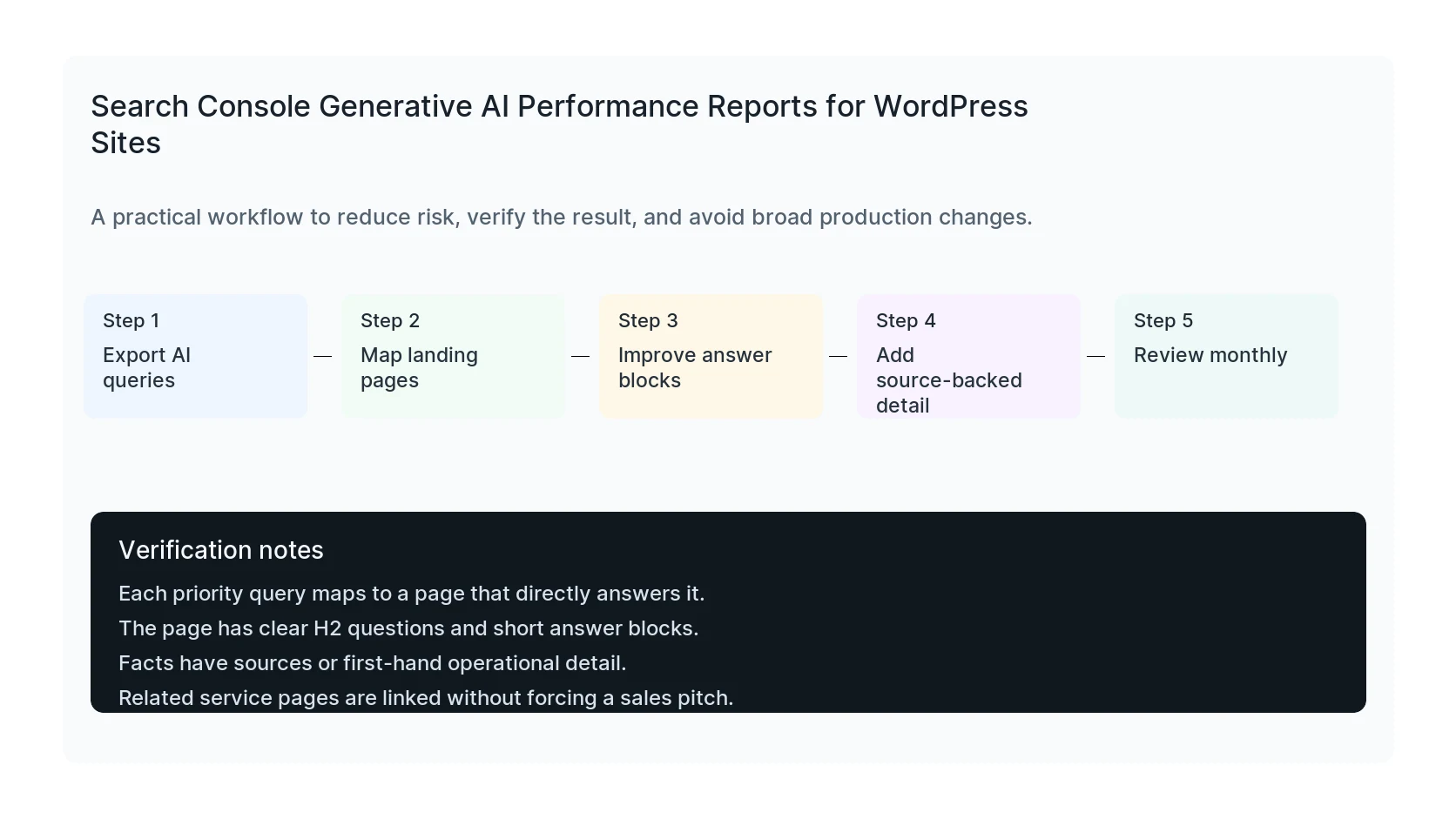
Do the work in this order so each result can be verified. If a step fails, stop and capture the evidence before making a broader change.
- Export AI queries
- Map landing pages
- Improve answer blocks
- Add source-backed detail
- Review monthly
Verification checklist
The fix is not done when the warning disappears. Confirm the result from the visitor side, admin side, and reporting side.
- Each priority query maps to a page that directly answers it.
- The page has clear H2 questions and short answer blocks.
- Facts have sources or first-hand operational detail.
- Related service pages are linked without forcing a sales pitch.
Mistakes to avoid
- Do not judge the result by the homepage only.
- Do not clear every cache layer until you know which layer affects the symptom.
- Do not delete evidence before copying filenames, timestamps, versions, and affected URLs.
- Do not make privacy or crawler decisions without writing down the business reason.
- Do not leave temporary debug settings, test accounts, or broad permissions in place.
When HandL WP should help
Bring in help when the issue affects leads, checkout, ads, malware risk, search visibility, or a client production site. HandL WP can trace the problem through WordPress, hosting, tracking, cache, and Search Console, then verify the business workflow after the technical fix.
If this is active on a production site, improve AI search visibility for WordPress.
Assign one owner before publishing another AI search page
Use the generative AI page-query owner and citation gap audit to group intent, choose the canonical owner, add evidence and useful visuals, and build contextual internal links before creating a new URL.
Helpful references
Practical Next Steps
For visual-input search, keep the new multimodal search type separate from text and Image reports: