Pages with impressions and no clicks should not all receive the same rewrite. A refresh board separates title problems, intent mismatch, weak answer blocks, missing visuals, poor internal links, and pages that simply need more time.
Use this for business owners, SEO teams, agencies, and content operators who publish regularly and need a practical way to decide which pages to improve next.
Quick answer
Use Search Console query and page evidence to choose refreshes. Compare completed periods, inspect the pages earning impressions, and distinguish a weak snippet from a position or intent problem. Preserve the strongest query owner and improve its answer and contextual links before creating an overlapping page. Compare clicks with correctly scoped analytics before treating measurement differences as an SEO decline.
What to check first
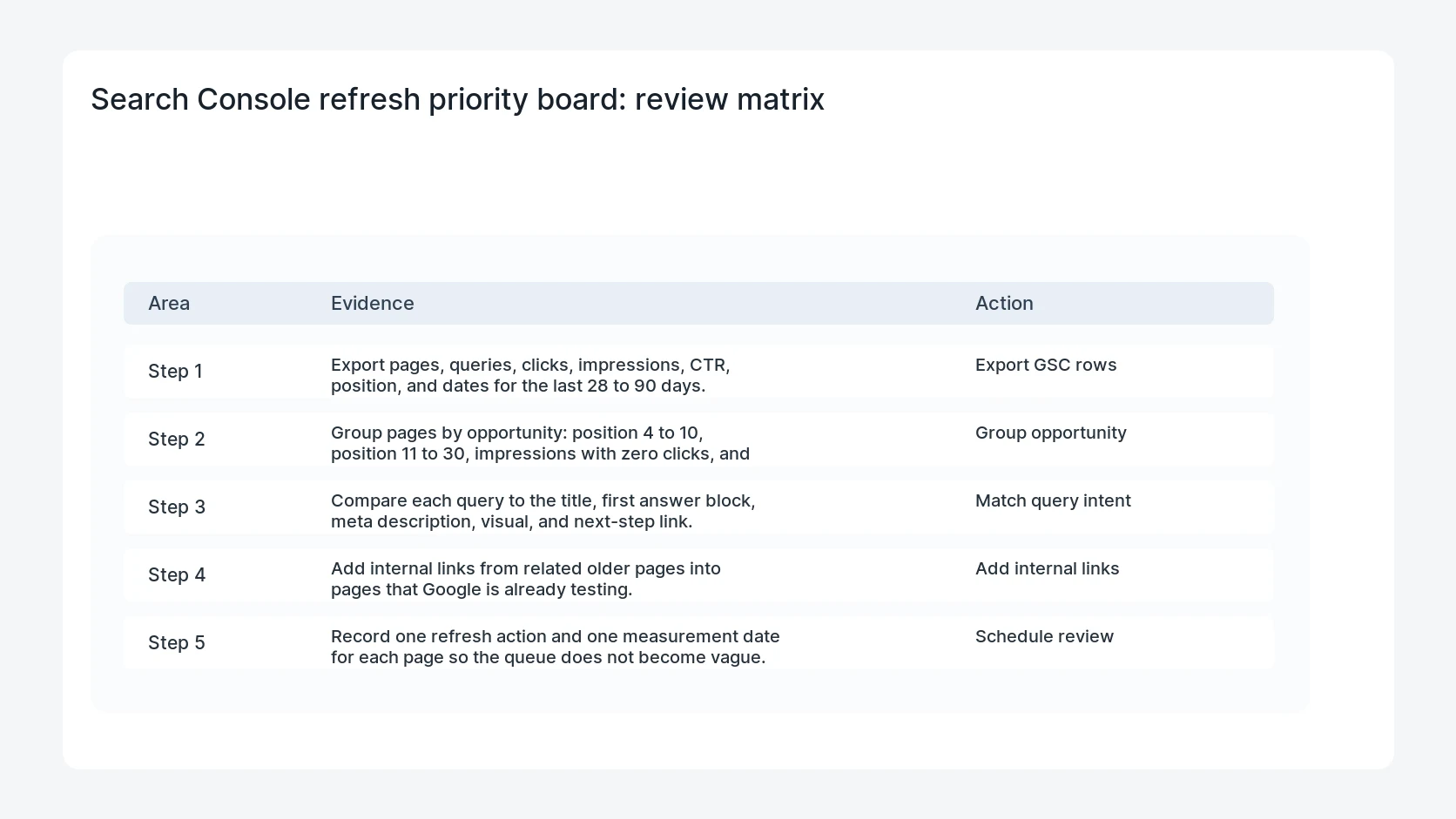
- Export pages, queries, clicks, impressions, CTR, position, and dates for the last 28 to 90 days.
- Group pages by opportunity: position 4 to 10, position 11 to 30, impressions with zero clicks, and early-click winners.
- Compare each query to the title, first answer block, meta description, visual, and next-step link.
- Add internal links from related older pages into pages that Google is already testing.
- Record one refresh action and one measurement date for each page so the queue does not become vague.
Diagnostic table
Use this table to keep the work practical. It connects the symptom to evidence and a verification step.
| Action | Evidence to collect | How to verify |
|---|
| Export GSC rows | Export pages, queries, clicks, impressions, CTR, position, and dates for the last 28 to 90 days. | Each page has one primary query group and one refresh action. |
| Group opportunity | Group pages by opportunity: position 4 to 10, position 11 to 30, impressions with zero clicks, and early-click winners. | Titles, descriptions, and answer blocks reflect the actual query language. |
| Match query intent | Compare each query to the title, first answer block, meta description, visual, and next-step link. | Internal links point from related posts and service pages into the target page. |
| Add internal links | Add internal links from related older pages into pages that Google is already testing. | A follow-up report compares impressions, clicks, CTR, and position after the refresh. |
Why this usually happens
- The page ranks for a query it only answers indirectly.
- The title describes the topic but does not match the urgent searcher problem.
- The answer is buried below background copy, so the snippet and click reason are weak.
- A newer post has no internal links from established pages in the same cluster.
- The page needs a table, checklist, diagram, or template to become worth the click.
Field notes
- Use Search Console first. Manual Google checks are useful, but GSC tells you the queries Google is already testing for the site.
- Do not refresh every zero-click page on the first impression. Prioritize by position, business fit, and repeated visibility.
Useful command or data shape
Adapt paths, IDs, and privacy handling to the site before running commands or storing data on production.
refresh_board_row:
  page: /blog/woocommerce-10-9-draft-order-checkout-cleanup
  query: woocommerce draft orders
  clicks: 1
  impressions: 23
  avg_position: 7.48
  action: add direct answer, order-state table, and links from checkout cluster
  review_date: 2026-07-18
Safe fix order
Do the work in a sequence that makes each result easy to prove. Stop if a step produces new evidence that changes the incident scope.
- Export GSC rows
- Group opportunity
- Match query intent
- Add internal links
- Schedule review
What to tell the client or owner
Treat the board as an operating tool, not a report screenshot. Every row needs an owner, action, and next check date.
Production verification checklist
- Each page has one primary query group and one refresh action.
- Titles, descriptions, and answer blocks reflect the actual query language.
- Internal links point from related posts and service pages into the target page.
- A follow-up report compares impressions, clicks, CTR, and position after the refresh.
Mistakes to avoid
- Do not judge the fix by one browser or the homepage only.
- Do not delete evidence before recording usernames, file paths, timestamps, and response headers.
- Do not add a cache, security, or tracking plugin while the original problem is still unclear.
- Do not leave test users, temporary debug logs, or broad API keys active after verification.
When HandL WP should help
Bring in help when this affects leads, checkout, search visibility, malware risk, paid media reporting, or a client production site. HandL WP can trace the issue through WordPress, hosting, cache, tracking, and Search Console, then verify the workflow after the technical fix.
If this is active on a production site, turn Search Console data into WordPress SEO fixes.
Related HandL WP guides
Use these related guides when the same issue touches tracking, security, checkout, or crawler visibility.
Helpful references
Before treating a traffic discrepancy as an SEO decline, compare like-for-like measurements using Why Search Console Clicks and GA4 Sessions Do Not Match.