If you searched for "ShapedPlugin supply chain compromise WordPress", you probably need a practical decision path, not a generic WordPress article. The goal is to protect the site, preserve useful evidence, and keep the business workflow working.
This guide is written for site owners and agencies using ShapedPlugin pro products. It focuses on the checks that prove whether the issue is contained, fixed, and safe to close.
Quick answer
| Check | What it tells you |
|---|
| Why it is urgent | Wordfence reported a potential ShapedPlugin supply chain compromise affecting a vendor with over 400,000 active free installations. |
| First check | Do not only update. First identify whether the installed pro plugin package came from the affected window. |
| Clean path | Replace the plugin from a trusted clean source, then inspect users, cron events, mu-plugins, and recently changed PHP files. |
A supply chain issue changes the normal update playbook
In a normal plugin vulnerability, the trusted update often fixes the problem. In a supply chain compromise, the plugin package or vendor distribution path may be part of the problem. That means you need to verify the installed package, not only the version number.
Start by listing every ShapedPlugin product on production, staging, and old subdomains. Agencies should search all managed sites because compromised premium plugin files can sit quietly on sites that no one edits daily.
Preserve the installed plugin before replacing it
Take a backup of the plugin directory and database before cleanup. If the package was backdoored, that evidence helps prove what happened and can guide a full search for persistence.
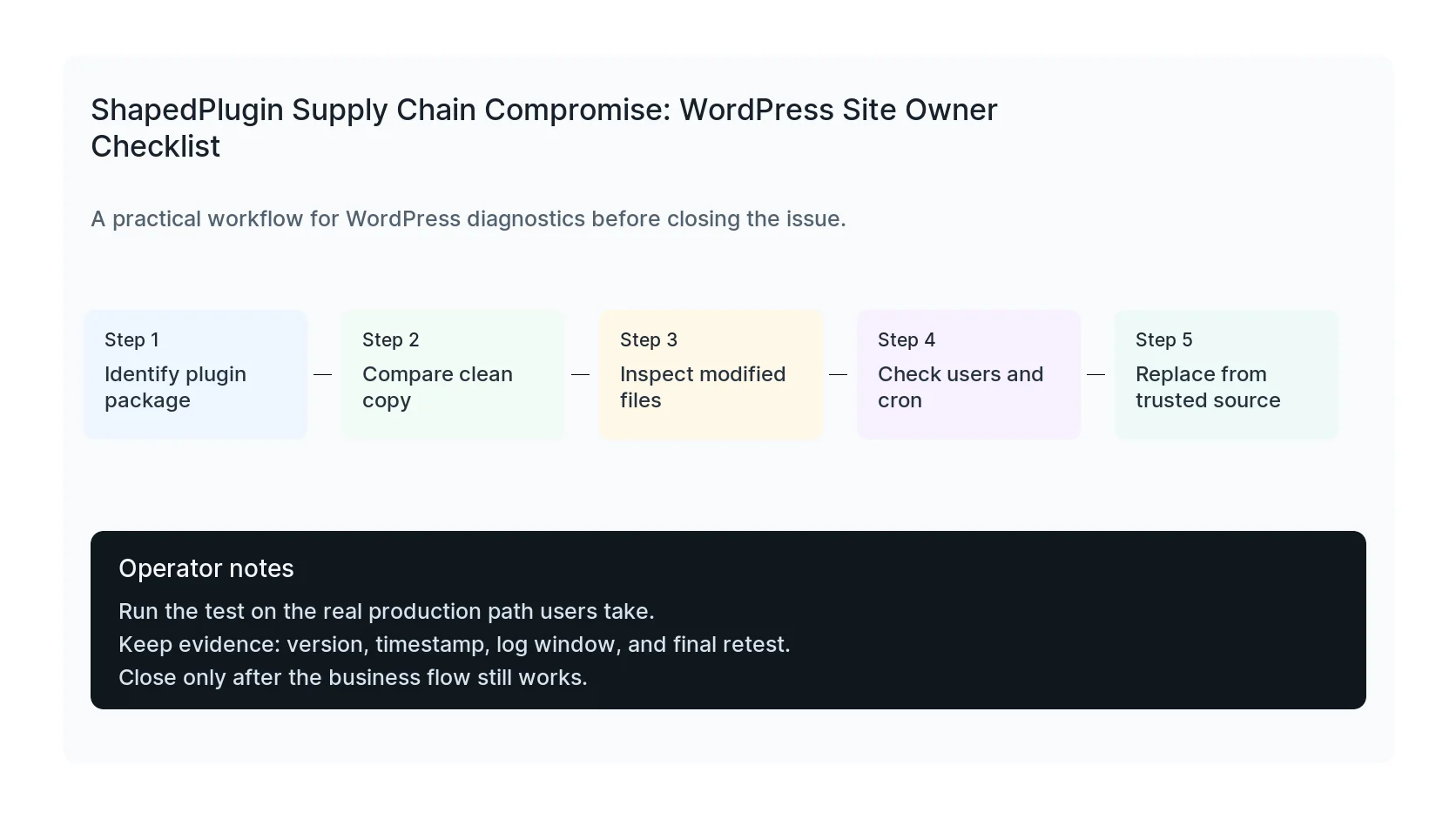
Then compare the installed plugin to a known clean copy from the vendor or a trusted backup. Look for unfamiliar PHP files, recent modifications, encoded payloads, unexpected hooks, admin creation code, and outbound requests.
Check for persistence beyond the plugin folder
A backdoored plugin may only be the first stage. Inspect mu-plugins, wp-content/uploads for PHP files, recently modified theme files, scheduled cron events, new administrators, application passwords, and database options that load scripts.
Also check logs for requests around the install or update window. The goal is to know whether the backdoor was only present, or whether someone used it.
Retest the business path after cleanup
After replacement, test the public features the plugin powers, plus forms, checkout, email, analytics, and important templates. Security cleanup that breaks the lead path creates a second incident.
Close the ticket only when the plugin files are clean, persistence checks are clean, credentials are rotated where needed, and the business workflow still works.
Checklist to run before you close the issue
- List every ShapedPlugin product on the site.
- Back up the installed plugin before replacement.
- Compare plugin files to a trusted clean copy.
- Inspect recent PHP changes, users, cron, and mu-plugins.
- Replace from a trusted source.
- Retest the public feature and lead flow.
Useful command or test
Use this as a starting point and adapt it to the host, stack, plugin names, and access level you actually have.
wp plugin list --fields=name,version,status | grep -i shaped && find wp-content -type f -mtime -14 -name '*.php'
When to get help
If this affects production traffic, paid ads, checkout, membership access, healthcare privacy, lead routing, or search visibility, do not leave it half-tested. HandL WP can trace the issue across WordPress, server logs, plugins, forms, tracking, and Search Console. If you want a senior engineer to check it, book a WordPress supply chain security check.
Sources and further reading