WooCommerce 10.9 continued checkout performance work, including lower database pressure around fresh-session Store API requests. Sites that moved from classic checkout to Checkout Blocks still need to audit custom event listeners, custom fields, and tracking triggers.
Use this when WooCommerce checkout tracking, custom checkout fields, payment handoffs, or thank-you-page conversions break after moving to Checkout Blocks.
Quick answer
WooCommerce Checkout Blocks Event Listener Debug Guide should be handled with a narrow evidence-first workflow: trace store api, map old hooks, check custom fields, then verify the result before making broader changes.
What to check first
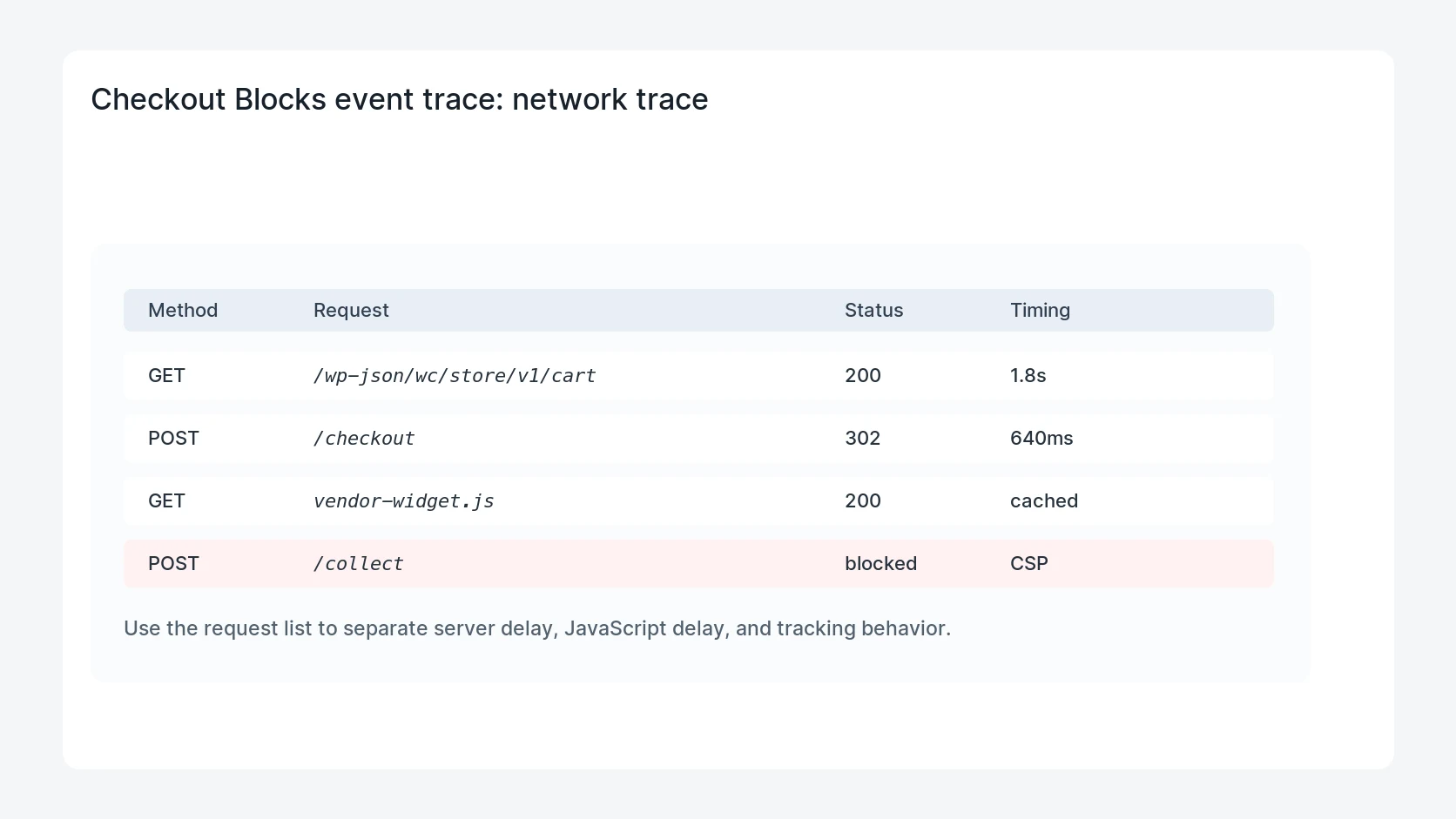
- Record Store API requests during cart, checkout, payment, and place-order steps.
- Compare old PHP hook behavior against the block checkout event path.
- Check whether custom fields are stored before the payment redirect or after order creation.
- Verify purchase tracking uses order ID deduplication, not a raw button click.
- Retest guest checkout, logged-in checkout, failed payment, and retry payment paths.
Diagnostic table
Use this table to keep the work practical. It connects the symptom to evidence and a verification step.
| Action | Evidence to collect | How to verify |
|---|
| Trace Store API | Record Store API requests during cart, checkout, payment, and place-order steps. | The custom field appears on the order before fulfillment or CRM sync. |
| Map old hooks | Compare old PHP hook behavior against the block checkout event path. | The purchase event fires once with the final WooCommerce order ID. |
| Check custom fields | Check whether custom fields are stored before the payment redirect or after order creation. | Failed and retried payments do not create duplicate ad conversions. |
| Deduplicate purchase | Verify purchase tracking uses order ID deduplication, not a raw button click. | Checkout behavior is tested on staging before production changes. |
Useful command or data shape
Adapt paths, IDs, and privacy handling to the site before running commands or storing data on production.
checkout_trace:
  GET /wp-json/wc/store/v1/cart -> 200
  PATCH /wp-json/wc/store/v1/checkout -> 200
  POST /wp-json/wc/store/v1/checkout -> payment_redirect
  event: purchase_pending
  order_id: WC-10558
  dedupe_key: wc_order_10558
Safe fix order
Do the work in a sequence that makes each result easy to prove. Stop if a step produces new evidence that changes the incident scope.
- Trace Store API
- Map old hooks
- Check custom fields
- Deduplicate purchase
- Retest payment paths
Production verification checklist
- The custom field appears on the order before fulfillment or CRM sync.
- The purchase event fires once with the final WooCommerce order ID.
- Failed and retried payments do not create duplicate ad conversions.
- Checkout behavior is tested on staging before production changes.
Mistakes to avoid
- Do not judge the fix by one browser or the homepage only.
- Do not delete evidence before recording usernames, file paths, timestamps, and response headers.
- Do not add a cache, security, or tracking plugin while the original problem is still unclear.
- Do not leave test users, temporary debug logs, or broad API keys active after verification.
When HandL WP should help
Bring in help when this affects leads, checkout, search visibility, malware risk, paid media reporting, or a client production site. HandL WP can trace the issue through WordPress, hosting, cache, tracking, and Search Console, then verify the workflow after the technical fix.
If this is active on a production site, debug WooCommerce checkout tracking.
Helpful references