A WordPress site can allow an AI search crawler in robots.txt while a WAF, CDN, or security plugin blocks the same crawler before it reaches public HTML. Logs are the fastest way to see whether policy and behavior match.
Use this when AI search visibility matters and the site wants to audit OAI-SearchBot, GPTBot, ChatGPT-User, PerplexityBot, Googlebot, Bingbot, and similar crawlers.
Quick answer
WordPress AI Crawler Log Analysis should be handled with a narrow evidence-first workflow: collect logs, group agents, classify crawler type, then verify the result before making broader changes.
What to check first
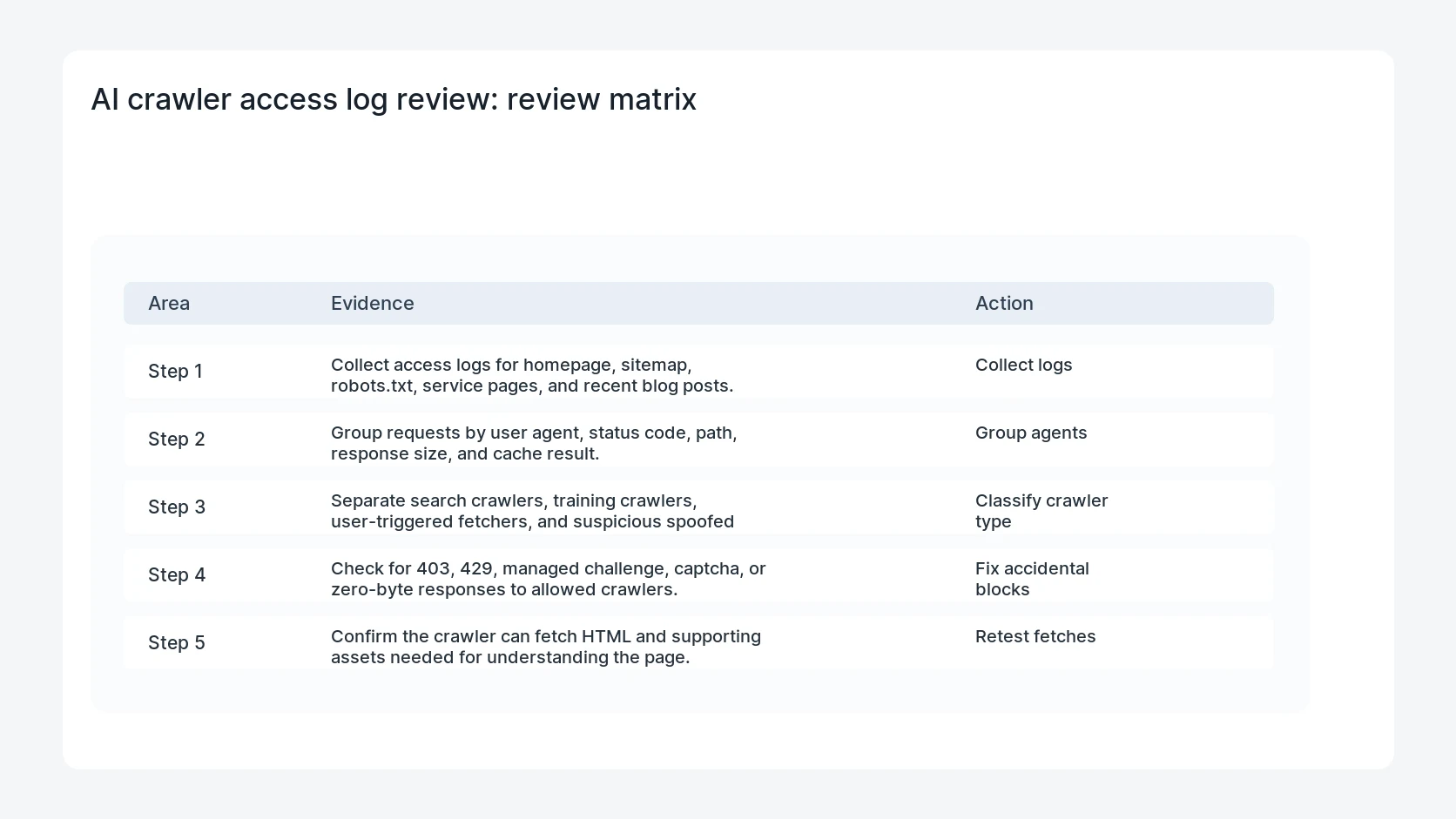
- Collect access logs for homepage, sitemap, robots.txt, service pages, and recent blog posts.
- Group requests by user agent, status code, path, response size, and cache result.
- Separate search crawlers, training crawlers, user-triggered fetchers, and suspicious spoofed agents.
- Check for 403, 429, managed challenge, captcha, or zero-byte responses to allowed crawlers.
- Confirm the crawler can fetch HTML and supporting assets needed for understanding the page.
Diagnostic table
Use this table to keep the work practical. It connects the symptom to evidence and a verification step.
| Action | Evidence to collect | How to verify |
|---|
| Collect logs | Collect access logs for homepage, sitemap, robots.txt, service pages, and recent blog posts. | Allowed crawlers receive 200 responses for public pages and sitemap files. |
| Group agents | Group requests by user agent, status code, path, response size, and cache result. | Blocked crawlers match a written business policy rather than a default firewall rule. |
| Classify crawler type | Separate search crawlers, training crawlers, user-triggered fetchers, and suspicious spoofed agents. | WAF and CDN logs explain any 403 or 429 response. |
| Fix accidental blocks | Check for 403, 429, managed challenge, captcha, or zero-byte responses to allowed crawlers. | The sitemap and canonical pages remain available to normal search crawlers. |
Useful command or data shape
Adapt paths, IDs, and privacy handling to the site before running commands or storing data on production.
grep -Ei 'OAI-SearchBot|GPTBot|ChatGPT-User|PerplexityBot|Googlebot|Bingbot' access.log | tail -100
awk '{print $9, $7, $12}' access.log | sort | uniq -c | sort -nr | head
curl -A 'OAI-SearchBot' -sSI https://example.com/robots.txt
Safe fix order
Do the work in a sequence that makes each result easy to prove. Stop if a step produces new evidence that changes the incident scope.
- Collect logs
- Group agents
- Classify crawler type
- Fix accidental blocks
- Retest fetches
Production verification checklist
- Allowed crawlers receive 200 responses for public pages and sitemap files.
- Blocked crawlers match a written business policy rather than a default firewall rule.
- WAF and CDN logs explain any 403 or 429 response.
- The sitemap and canonical pages remain available to normal search crawlers.
Mistakes to avoid
- Do not judge the fix by one browser or the homepage only.
- Do not delete evidence before recording usernames, file paths, timestamps, and response headers.
- Do not add a cache, security, or tracking plugin while the original problem is still unclear.
- Do not leave test users, temporary debug logs, or broad API keys active after verification.
When HandL WP should help
Bring in help when this affects leads, checkout, search visibility, malware risk, paid media reporting, or a client production site. HandL WP can trace the issue through WordPress, hosting, cache, tracking, and Search Console, then verify the workflow after the technical fix.
If this is active on a production site, audit WordPress AI crawler access.
Query CloudFront AI crawler evidence with Athena
Move from raw user-agent counts to the CloudFront and Athena AI crawler query pack. It separates canonical content, assets, status codes, cache results, claimed agents, verified agents, spoofing, citations, referrals, and conversions.
Reconcile crawler fetches with Search Console owner share
Build the AI crawler logs and Search Console owner share reconciliation to keep fetches, impressions, clicks, citations, and useful actions as separate measurable signals.
Make internal anchors show the AI crawler log owner
Run the WordPress AI crawler log internal-anchor audit so generic anchors reinforce one broad owner while WAF, robots, spoofing, rate-limit, edge-query, and policy children keep distinct technical jobs.
Use confirmed model metadata before testing Ox Alpha
Teams following AI crawler and model traffic can use the confirmed Ox Alpha fact sheet to separate official capabilities from ownership theories, then set context, tool, privacy, availability, and fallback checks before evaluation.
Measure the HTML bytes each crawler can actually receive
Crawler logs answer who fetched a URL and when. The next layer is the response itself. Use the Googlebot 2 MB WordPress HTML audit to measure headers and raw HTML, find critical content by byte offset, and remove Base64 or duplicated inline payloads before important links fall late in the response.
Helpful references