If you searched for "wordpress consent mode v2 form tracking", you probably do not need a generic WordPress article. You need a practical order of operations that protects the site, the business process, and the evidence you may need later.
This guide is written for lead generation sites using GTM, cookie banners, Google Ads, and GA4. It focuses on what to check first, what to avoid, and how to prove the issue is fixed before you move on.
Quick answer
| Check | What it tells you |
|---|
| Core issue | Consent mode is not the banner. It is the signal that tells tags how to behave. |
| Timing test | Check whether default consent is set before Google tags evaluate triggers. |
| Lead gen risk | A form can submit perfectly while Ads and GA4 receive no usable conversion signal. |
Separate the form problem from the consent problem
When WordPress form tracking stops after a consent banner change, the form may not be broken at all. The lead can still submit, the email can still send, and the CRM can still receive the record while analytics loses the conversion.
Debug the consent state and the form event side by side. You need to know whether the event failed to happen, the tag was blocked, or the tag fired with a denied consent state.
Default consent must happen early
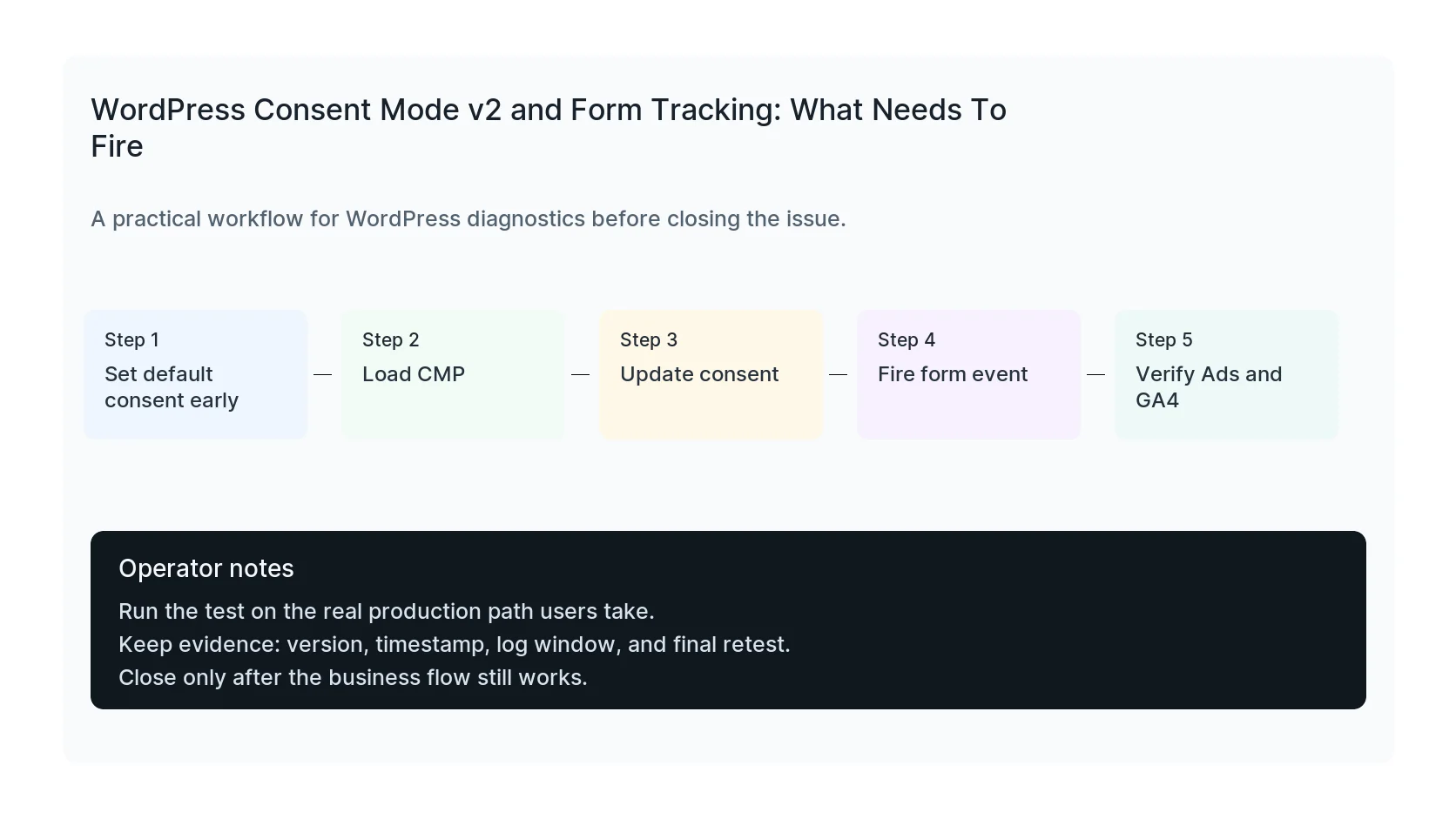
Consent Mode depends on tags receiving a default state and then an update after the visitor makes a choice. If the CMP loads late, or if GTM triggers fire before the default state exists, reports can become inconsistent.
In WordPress, late loading can come from optimization plugins, script delay settings, page builders, consent plugins, and tag snippets placed in the wrong hook.
Protect click IDs and form source fields
Consent Mode does not replace first-party attribution storage. If your business needs to connect leads back to campaigns, still preserve UTM parameters, GCLID, landing page, referrer, and consent status in hidden fields or server-side records where legally appropriate.
For regulated industries, be careful with what is sent to ad platforms. Consent does not automatically make sensitive data safe to transmit.
Test by consent scenario
Run separate tests for accept all, reject all, no choice, returning visitor, and regional banner behavior. Watch GTM Preview, network requests, form entry data, CRM fields, and ad platform diagnostics.
The final proof is not that the banner appears. The proof is that each consent scenario produces the expected form record and the expected measurement behavior.
Checklist to run before you close the issue
- Confirm default consent fires before Google tags.
- Check CMP update timing.
- Test accept, reject, and no-choice paths.
- Verify form submit event still fires.
- Preserve source fields in WordPress or CRM.
- Avoid sending sensitive form values to ad platforms.
Useful command or test
Use this as a starting point, then adapt it to the hosting stack, plugin names, and access level you actually have.
window.dataLayer && dataLayer.slice(-20).map(e => e.event || e[0])
When to get help
If this affects production traffic, paid ads, checkout, membership access, healthcare privacy, lead routing, or search visibility, do not leave the fix half-tested. HandL WP can trace the issue across WordPress, server logs, plugins, forms, tracking, and Search Console. If you want a senior engineer to check it, fix WordPress conversion tracking.
Sources and further reading
Prove the consent update wins before navigation
Run the WordPress consent update timing test when banner choices appear correct but a form redirect, checkout step, or route transition may fire Google tags with the previous state.
Trace Outbid.lol from landing page to revenue
The Outbid.lol WordPress attribution implementation covers tagged destinations, redirect checks, consent recovery, first and latest touch, hidden fields, WooCommerce order metadata, CRM mapping, and browser-server deduplication.
If the consent setup stalls because the container field is absent, inspect integration ownership first: Complianz Google Tag Manager Field Missing? Check Integration Ownership.
Microsoft Advertising has its own tag behavior to verify alongside Google consent signals: What Is the _uetsid Cookie? Trace Microsoft UET on WordPress.