WordPress forms often fire through AJAX, plugin scripts, or page-builder handlers. Add a cookie banner and the same submit action can produce different tag behavior for denied, granted, and unknown consent states.
Use this when Google Ads, GA4, Meta, or CRM events changed after a cookie banner, consent plugin, CMP, or privacy update was added to a WordPress site.
Quick answer
WordPress Cookie Banner Blocks Form Tracking should be handled with a narrow evidence-first workflow: map consent states, check gtm load order, test submit path, then verify the result before making broader changes.
What to check first
- Test the same form with consent denied, consent granted, and no banner interaction.
- Confirm whether GTM loads before the banner sets default consent state.
- Check whether form-submit events fire through AJAX, redirect, pageview, or custom JavaScript.
- Verify that click IDs are stored only in ways allowed by the site policy.
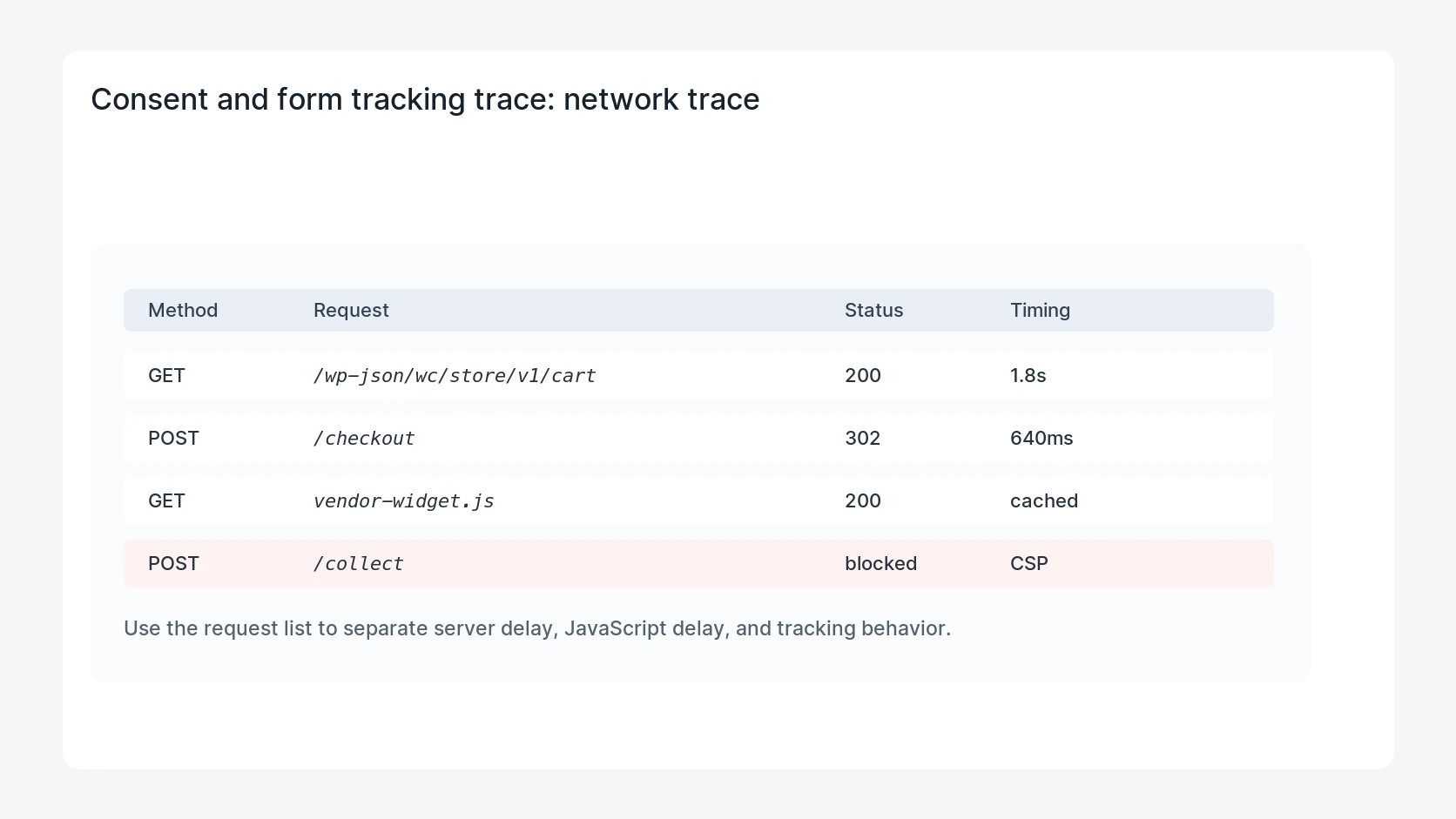
- Compare tag firing in GTM preview against real network requests.
Diagnostic table
Use this table to keep the work practical. It connects the symptom to evidence and a verification step.
| Action | Evidence to collect | How to verify |
|---|
| Map consent states | Test the same form with consent denied, consent granted, and no banner interaction. | Denied consent does not send restricted advertising data. |
| Check GTM load order | Confirm whether GTM loads before the banner sets default consent state. | Granted consent sends one valid conversion event per real form submission. |
| Test submit path | Check whether form-submit events fire through AJAX, redirect, pageview, or custom JavaScript. | The banner default state is set before marketing tags run. |
| Protect click IDs | Verify that click IDs are stored only in ways allowed by the site policy. | The CRM entry and analytics event can be matched by lead ID. |
Useful command or data shape
Adapt paths, IDs, and privacy handling to the site before running commands or storing data on production.
consent_test_matrix:
  denied:
    ads_storage: denied
    form_event: allowed_without_ad_user_data
  granted:
    ads_storage: granted
    form_event: send_conversion
  unknown:
    action: fix default consent before launch
Safe fix order
Do the work in a sequence that makes each result easy to prove. Stop if a step produces new evidence that changes the incident scope.
- Map consent states
- Check GTM load order
- Test submit path
- Protect click IDs
- Verify requests
Production verification checklist
- Denied consent does not send restricted advertising data.
- Granted consent sends one valid conversion event per real form submission.
- The banner default state is set before marketing tags run.
- The CRM entry and analytics event can be matched by lead ID.
Mistakes to avoid
- Do not judge the fix by one browser or the homepage only.
- Do not delete evidence before recording usernames, file paths, timestamps, and response headers.
- Do not add a cache, security, or tracking plugin while the original problem is still unclear.
- Do not leave test users, temporary debug logs, or broad API keys active after verification.
When HandL WP should help
Bring in help when this affects leads, checkout, search visibility, malware risk, paid media reporting, or a client production site. HandL WP can trace the issue through WordPress, hosting, cache, tracking, and Search Console, then verify the workflow after the technical fix.
If this is active on a production site, test WordPress consent and conversion tracking.
Helpful references
If the consent interface itself never appears, start with the script delivery path: CookiePro Banner Not Showing on WordPress: Trace the Load Path.
When the banner works but GTM never sees its updates, inspect the event destination: OneTrust Consent Updates Missing in GTM: Check the Data Layer.
For a first-party Google tag introduced at the CDN, check whether its loading order changed: Complianz Consent Loads Too Late After Google Tag Gateway.
For a form hosted inside a cross-site frame, test cookie restrictions independently: Embedded WordPress Form Fails When Third-Party Cookies Are Blocked.