WordPress marketing plugins often load JavaScript from a vendor CDN. That is normal, but it means the site owner needs to understand where the script runs, whether it reaches wp-admin, and what happens if the vendor asset changes.
Use this for sites with popups, chat widgets, lead capture, analytics, personalization, push notifications, or conversion tools.
Quick answer
WordPress JavaScript Supply Chain Risk in Marketing Plugins should be handled with a narrow evidence-first workflow: inventory scripts, limit admin exposure, review cache behavior, then verify the result before making broader changes.
What to check first
- Inventory external scripts loaded by marketing plugins on public pages and admin pages.
- Separate scripts needed for visitors from scripts loaded only for administrators.
- Check cache and CDN behavior so a removed risky script is not served for hours.
- Review CSP options with care because rushed policies can break checkout and forms.
- Monitor changed third-party script URLs after plugin updates or vendor incidents.
Diagnostic table
Use this table to keep the work practical. It connects the symptom to evidence and a verification step.
| Action | Evidence to collect | How to verify |
|---|
| Inventory scripts | Inventory external scripts loaded by marketing plugins on public pages and admin pages. | The team can name every marketing script and what it does. |
| Limit admin exposure | Separate scripts needed for visitors from scripts loaded only for administrators. | Admin-only scripts are not loading where visitors do not need them. |
| Review cache behavior | Check cache and CDN behavior so a removed risky script is not served for hours. | Cache purge procedures include vendor JavaScript incidents. |
| Add monitoring | Review CSP options with care because rushed policies can break checkout and forms. | Security monitoring checks changed script sources, not only WordPress files. |
Useful command or data shape
Adapt paths, IDs, and privacy handling to the site before running commands or storing data on production.
curl -sS https://example.com/ | grep -Eo 'https://[^"'"' ]+\.js' | sort -u
wp plugin list --status=active --fields=name,version
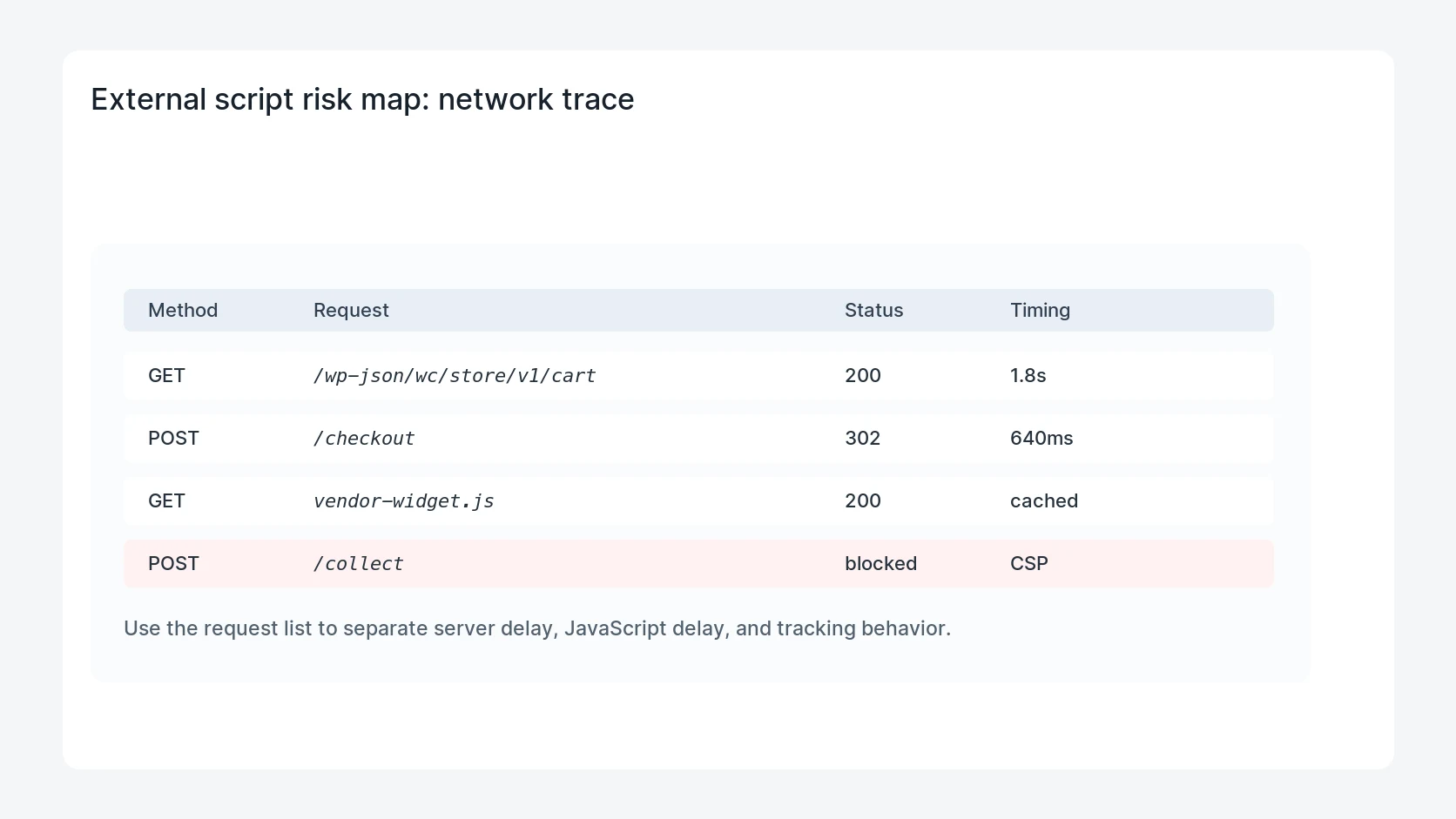
# In browser devtools, filter Network by JS and check initiator plus cache status.
Safe fix order
Do the work in a sequence that makes each result easy to prove. Stop if a step produces new evidence that changes the incident scope.
- Inventory scripts
- Limit admin exposure
- Review cache behavior
- Add monitoring
- Document vendor risk
Production verification checklist
- The team can name every marketing script and what it does.
- Admin-only scripts are not loading where visitors do not need them.
- Cache purge procedures include vendor JavaScript incidents.
- Security monitoring checks changed script sources, not only WordPress files.
Mistakes to avoid
- Do not judge the fix by one browser or the homepage only.
- Do not delete evidence before recording usernames, file paths, timestamps, and response headers.
- Do not add a cache, security, or tracking plugin while the original problem is still unclear.
- Do not leave test users, temporary debug logs, or broad API keys active after verification.
When HandL WP should help
Bring in help when this affects leads, checkout, search visibility, malware risk, paid media reporting, or a client production site. HandL WP can trace the issue through WordPress, hosting, cache, tracking, and Search Console, then verify the workflow after the technical fix.
If this is active on a production site, review WordPress plugin and script risk.
Keep confidential code out of anonymous preview routes
Before adding an AI coding route to a development workflow, use the Ox Alpha private-code security gate for data classification, provider routing, retention, secret scanning, read-only tools, network isolation, and fallback.
Helpful references