If you searched for "WordPress path traversal vulnerability checklist", you probably need a practical decision path, not a generic WordPress article. The goal is to protect the site, preserve useful evidence, and keep the business workflow working.
This guide is written for site owners who receive a path traversal or arbitrary file read plugin alert. It focuses on the checks that prove whether the issue is contained, fixed, and safe to close.
Quick answer
| Check | What it tells you |
|---|
| Main risk | An attacker may read files outside the intended directory, including configuration files and backups. |
| First log search | Look for traversal strings, encoded dot-dot-slash patterns, wp-config.php, .env, and /etc/passwd attempts. |
| If exposed | Rotate database credentials, salts, API keys, SFTP keys, and any third-party secrets stored in readable files. |
Path traversal is about file boundaries
A path traversal vulnerability usually means a plugin or theme accepts a file path and fails to keep that path inside the safe directory. Attackers then try to walk up the directory tree and read sensitive files.
For WordPress, the highest concern is wp-config.php, backup archives, debug logs, export files, and environment files that contain credentials or private data.
Patch the endpoint and preserve logs
Patch or disable the vulnerable component first, then preserve server logs for the exposure window. You want to know whether attackers only scanned, or whether they successfully requested sensitive filenames.
Search for raw and encoded traversal patterns. Attackers often encode slashes and dots to bypass simple filters.
Rotate secrets based on evidence and file reachability
If logs show attempts against wp-config.php or other secret-bearing files, decide whether the endpoint could actually read them. When in doubt, test on a safe copy or staging environment, not production.
If file exposure is plausible, rotate secrets in a controlled order. Database credentials and salts are common first steps, but remember payment gateways, SMTP passwords, CRM keys, and cloud storage credentials.
Retest media and file features
Path traversal fixes often affect download features, importers, image tools, galleries, file managers, and document portals. Retest the feature that used the file path after patching.
If customers download private files through WordPress, also check access control. A file path fix does not automatically prove authorization is correct.
Checklist to run before you close the issue
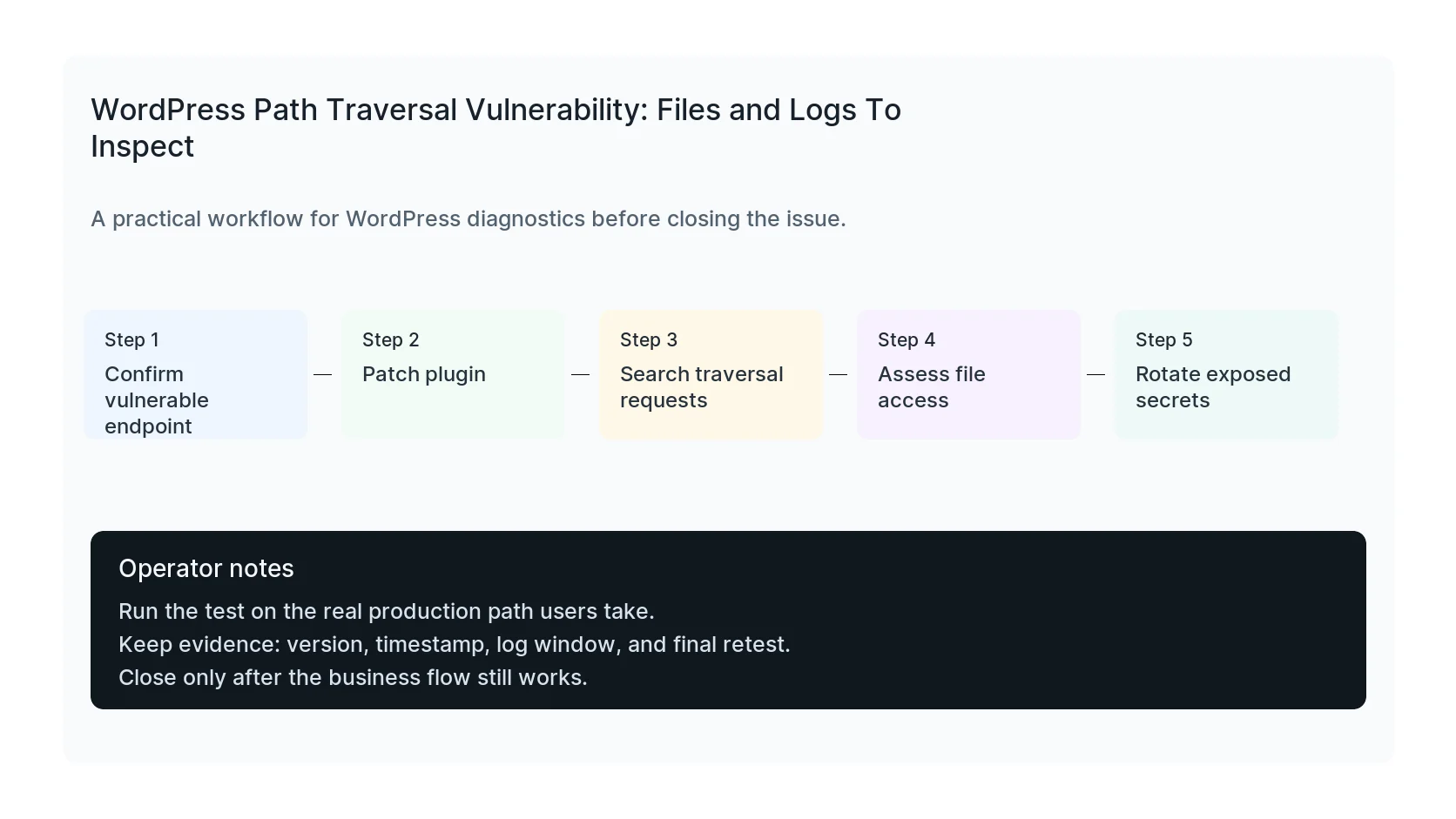
- Confirm the affected endpoint and plugin version.
- Patch or disable the vulnerable component.
- Search logs for traversal attempts.
- Assess whether sensitive files were reachable.
- Rotate secrets if exposure is plausible.
- Retest downloads, media, imports, and private file access.
Useful command or test
Use this as a starting point and adapt it to the host, stack, plugin names, and access level you actually have.
grep -Eai "\.\./|%2e%2e|wp-config|/etc/passwd|\.env" /var/log/nginx/access.log | tail -n 50
When to get help
If this affects production traffic, paid ads, checkout, membership access, healthcare privacy, lead routing, or search visibility, do not leave it half-tested. HandL WP can trace the issue across WordPress, server logs, plugins, forms, tracking, and Search Console. If you want a senior engineer to check it, review file exposure risk.
Sources and further reading