A WordPress form conversion can look valid at submit time and become invalid later when the CRM marks it duplicate, returned, spam, unqualified, canceled, or refunded. Conversion adjustments help reporting only when the team can match the original conversion and choose the right adjustment type.
Use this for lead-generation businesses that upload Google Ads conversions from WordPress forms, CRMs, call centers, intake teams, or sales pipelines.
Quick answer
Data Manager API Conversion Adjustment Audit for Returned Leads should be handled with a narrow evidence-first workflow: define outcomes, match original conversion, classify adjustment, then verify the result before making broader changes.
What to check first
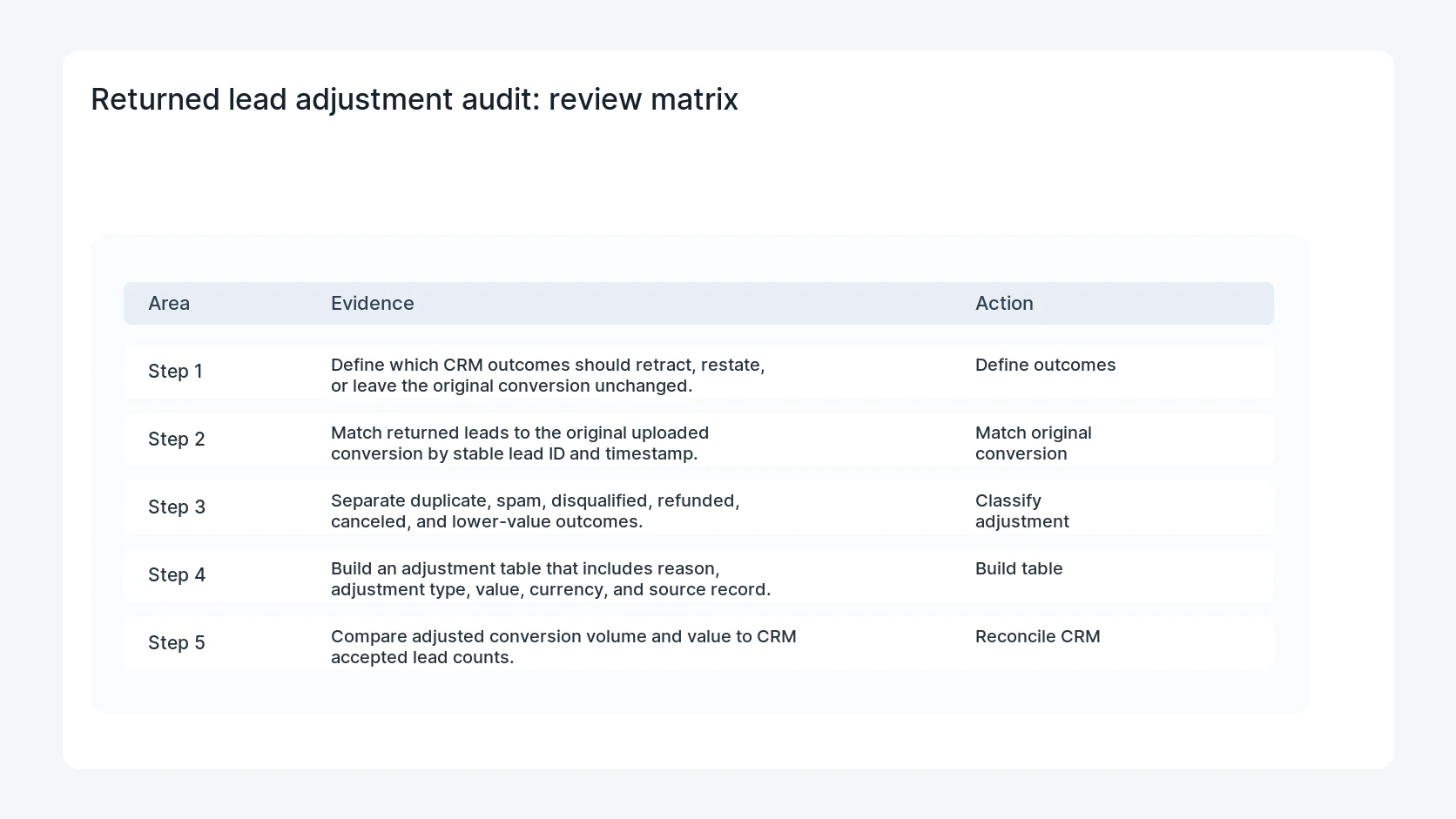
- Define which CRM outcomes should retract, restate, or leave the original conversion unchanged.
- Match returned leads to the original uploaded conversion by stable lead ID and timestamp.
- Separate duplicate, spam, disqualified, refunded, canceled, and lower-value outcomes.
- Build an adjustment table that includes reason, adjustment type, value, currency, and source record.
- Compare adjusted conversion volume and value to CRM accepted lead counts.
Diagnostic table
Use this table to keep the work practical. It connects the symptom to evidence and a verification step.
| Action | Evidence to collect | How to verify |
|---|
| Define outcomes | Define which CRM outcomes should retract, restate, or leave the original conversion unchanged. | Each adjustment points to one original uploaded conversion. |
| Match original conversion | Match returned leads to the original uploaded conversion by stable lead ID and timestamp. | Retractions and restatements follow documented CRM outcomes. |
| Classify adjustment | Separate duplicate, spam, disqualified, refunded, canceled, and lower-value outcomes. | Rejected adjustment rows are reviewed and fixed. |
| Build table | Build an adjustment table that includes reason, adjustment type, value, currency, and source record. | Adjusted paid media reporting is closer to accepted lead quality. |
Why this usually happens
- Paid media platforms optimize toward the first conversion they receive unless quality feedback arrives later.
- Sales teams often reject leads in the CRM without sending that result back to ad systems.
- A retraction and a value restatement mean different things and should not be mixed.
- Missing lead IDs make it impossible to adjust the original conversion reliably.
Field notes
- Do not upload adjustments for every support note. Use approved lifecycle outcomes only.
- Keep the original upload log so adjustment failures can be traced.
- Review the first batch manually before scheduling recurring adjustments.
Useful command or data shape
Adapt paths, IDs, and privacy handling to the site before running commands or storing data on production.
adjustment_row:
  lead_id: gf-203948
  original_conversion_time: 2026-06-30T18:42:11Z
  crm_outcome: duplicate
  adjustment_type: RETRACTION
  reason: duplicate_existing_customer
  source_record: crm_lead_88421
  upload_result: pending
Safe fix order
Do the work in a sequence that makes each result easy to prove. Stop if a step produces new evidence that changes the incident scope.
- Define outcomes
- Match original conversion
- Classify adjustment
- Build table
- Reconcile CRM
What to tell the client or owner
Show marketing which CRM outcomes adjust ad reporting, how often the adjustment job runs, and how rejected adjustment rows are handled.
Production verification checklist
- Each adjustment points to one original uploaded conversion.
- Retractions and restatements follow documented CRM outcomes.
- Rejected adjustment rows are reviewed and fixed.
- Adjusted paid media reporting is closer to accepted lead quality.
Mistakes to avoid
- Do not judge the fix by one browser or the homepage only.
- Do not delete evidence before recording usernames, file paths, timestamps, and response headers.
- Do not add a cache, security, or tracking plugin while the original problem is still unclear.
- Do not leave test users, temporary debug logs, or broad API keys active after verification.
When HandL WP should help
Bring in help when this affects leads, checkout, search visibility, malware risk, paid media reporting, or a client production site. HandL WP can trace the issue through WordPress, hosting, cache, tracking, and Search Console, then verify the workflow after the technical fix.
If this is active on a production site, audit WordPress lead quality feedback.
Related HandL WP guides
Use these related guides when the same issue touches tracking, security, checkout, or crawler visibility.
Helpful references