Search Console often shows valuable queries landing on pages that mention the topic but are not the best answer. The fix is to choose a preferred page, strengthen its answer, and add internal links from the mismatched page and related cluster.
Use this for WordPress service sites, SaaS blogs, ecommerce support content, and agencies that publish many related posts and need Google to understand the strongest page for each query.
Quick answer
Search Console Query Page Mismatch Internal Link Fix should be handled with a narrow evidence-first workflow: export query pages, pick preferred page, strengthen answer, then verify the result before making broader changes.
What to check first
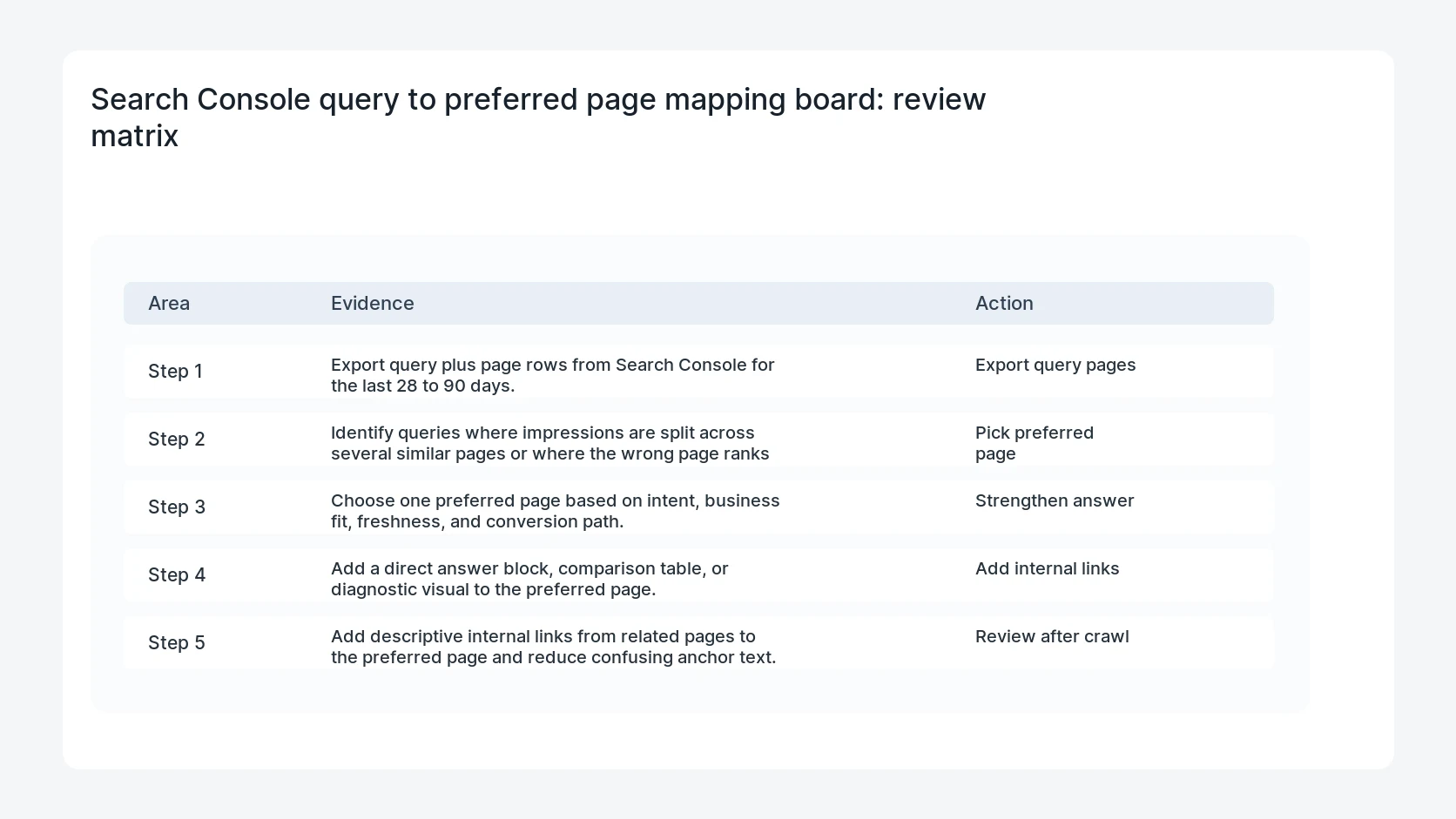
- Export query plus page rows from Search Console for the last 28 to 90 days.
- Identify queries where impressions are split across several similar pages or where the wrong page ranks best.
- Choose one preferred page based on intent, business fit, freshness, and conversion path.
- Add a direct answer block, comparison table, or diagnostic visual to the preferred page.
- Add descriptive internal links from related pages to the preferred page and reduce confusing anchor text.
Diagnostic table
Use this table to keep the work practical. It connects the symptom to evidence and a verification step.
| Action | Evidence to collect | How to verify |
|---|
| Export query pages | Export query plus page rows from Search Console for the last 28 to 90 days. | Each target query has one preferred page and one supporting cluster. |
| Pick preferred page | Identify queries where impressions are split across several similar pages or where the wrong page ranks best. | Internal links use descriptive anchors that match the fix path. |
| Strengthen answer | Choose one preferred page based on intent, business fit, freshness, and conversion path. | The preferred page has a direct answer in the first section. |
| Add internal links | Add a direct answer block, comparison table, or diagnostic visual to the preferred page. | A follow-up GSC report checks clicks, impressions, position, and page mapping. |
Why this usually happens
- Several posts use similar headings but none clearly owns the query.
- An older page has more internal links, so Google tests it before the better newer page.
- The preferred page buries the answer below context or sales copy.
- Anchor text points to the wrong diagnostic path.
- Tag, archive, or listing pages receive impressions that should belong to a real guide.
Field notes
- Do not merge pages automatically. First decide whether the pages serve different search intents.
- Use query language in the answer block, but avoid stuffing the exact query into every heading.
Useful command or data shape
Adapt paths, IDs, and privacy handling to the site before running commands or storing data on production.
query_page_map:
  query: woocommerce stripe webhook
  current_page: /blog/woocommerce-stripe-webhook-signature-failure-after-update
  preferred_page: /blog/woocommerce-stripe-webhook-duplicate-endpoint-cleanup
  action: add link from signature guide and checkout hub
  anchor: clean up duplicate Stripe webhook endpoints
  review_date: 2026-07-19
Safe fix order
Do the work in a sequence that makes each result easy to prove. Stop if a step produces new evidence that changes the incident scope.
- Export query pages
- Pick preferred page
- Strengthen answer
- Add internal links
- Review after crawl
What to tell the client or owner
Give the content owner a short mismatch board with query, current page, preferred page, link actions, and review date.
Production verification checklist
- Each target query has one preferred page and one supporting cluster.
- Internal links use descriptive anchors that match the fix path.
- The preferred page has a direct answer in the first section.
- A follow-up GSC report checks clicks, impressions, position, and page mapping.
Mistakes to avoid
- Do not judge the fix by one browser or the homepage only.
- Do not delete evidence before recording usernames, file paths, timestamps, and response headers.
- Do not add a cache, security, or tracking plugin while the original problem is still unclear.
- Do not leave test users, temporary debug logs, or broad API keys active after verification.
When HandL WP should help
Bring in help when this affects leads, checkout, search visibility, malware risk, paid media reporting, or a client production site. HandL WP can trace the issue through WordPress, hosting, cache, tracking, and Search Console, then verify the workflow after the technical fix.
If this is active on a production site, turn Search Console signals into technical SEO fixes.
Related HandL WP guides
Use these related guides when the same issue touches tracking, security, checkout, or crawler visibility.
Helpful references