WooCommerce developer notes describe Abilities API work and expanding abilities across WooCommerce extensions. That direction matters for store owners because automation, MCP-style tools, and assistant workflows can expose actions that affect products, orders, customers, coupons, reports, and settings.
Use this for WooCommerce stores with many extensions, operations staff, external agencies, AI assistants, automation tools, or custom integrations that may read or change store data.
Quick answer
WooCommerce Abilities API Extension Audit should be handled with a narrow evidence-first workflow: inventory abilities, map permissions, classify risk, then verify the result before making broader changes.
What to check first
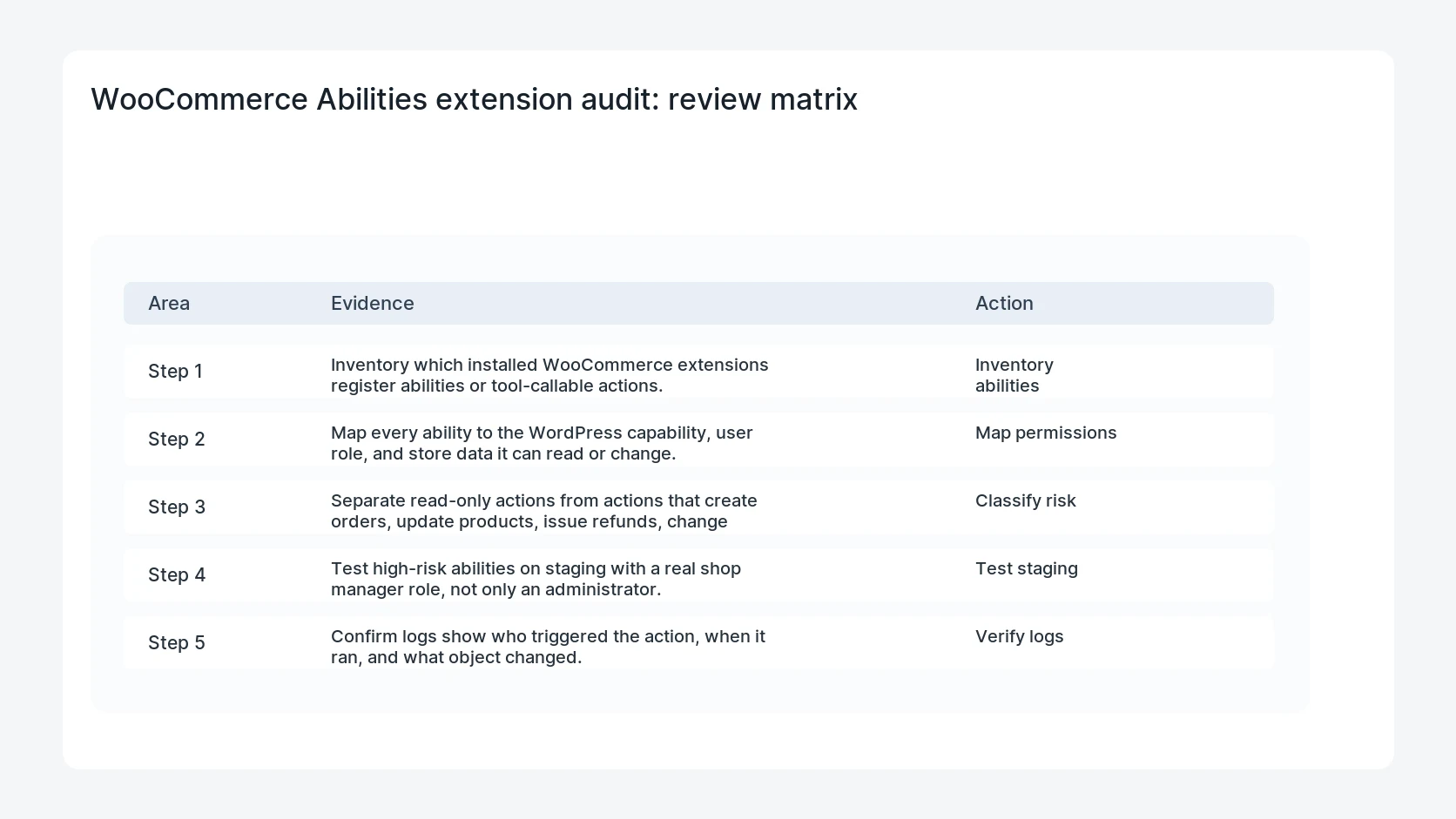
- Inventory which installed WooCommerce extensions register abilities or tool-callable actions.
- Map every ability to the WordPress capability, user role, and store data it can read or change.
- Separate read-only actions from actions that create orders, update products, issue refunds, change stock, or edit customers.
- Test high-risk abilities on staging with a real shop manager role, not only an administrator.
- Confirm logs show who triggered the action, when it ran, and what object changed.
Diagnostic table
Use this table to keep the work practical. It connects the symptom to evidence and a verification step.
| Action | Evidence to collect | How to verify |
|---|
| Inventory abilities | Inventory which installed WooCommerce extensions register abilities or tool-callable actions. | Every callable ability has an owner, role requirement, and risk classification. |
| Map permissions | Map every ability to the WordPress capability, user role, and store data it can read or change. | Shop manager tests match production expectations. |
| Classify risk | Separate read-only actions from actions that create orders, update products, issue refunds, change stock, or edit customers. | Read-write abilities produce usable audit logs. |
| Test staging | Test high-risk abilities on staging with a real shop manager role, not only an administrator. | High-risk actions cannot be triggered by broad or stale credentials. |
Useful command or data shape
Adapt paths, IDs, and privacy handling to the site before running commands or storing data on production.
ability_inventory:
  extension: subscriptions-helper
  ability: pause_subscription
  access: manage_woocommerce
  data_scope: subscription_id, customer_id, next_payment
  production_rule: ticket required
  log_required: yes
Safe fix order
Do the work in a sequence that makes each result easy to prove. Stop if a step produces new evidence that changes the incident scope.
- Inventory abilities
- Map permissions
- Classify risk
- Test staging
- Verify logs
Production verification checklist
- Every callable ability has an owner, role requirement, and risk classification.
- Shop manager tests match production expectations.
- Read-write abilities produce usable audit logs.
- High-risk actions cannot be triggered by broad or stale credentials.
Mistakes to avoid
- Do not judge the fix by one browser or the homepage only.
- Do not delete evidence before recording usernames, file paths, timestamps, and response headers.
- Do not add a cache, security, or tracking plugin while the original problem is still unclear.
- Do not leave test users, temporary debug logs, or broad API keys active after verification.
When HandL WP should help
Bring in help when this affects leads, checkout, search visibility, malware risk, paid media reporting, or a client production site. HandL WP can trace the issue through WordPress, hosting, cache, tracking, and Search Console, then verify the workflow after the technical fix.
If this is active on a production site, audit WooCommerce automation risk.
Remove internal wcEntities global dependencies
Before WooCommerce 11.1, follow the wcEntities utility removal migration to find source and bundle references, adopt supported dependencies, test cold routes and navigation, and keep a clean rollback.
Helpful references
If the connection works but extension-owned fields are absent, follow this separate field-contract check: WooCommerce MCP Missing Extension Fields? Test the 11.3 API.