WooCommerce Shopper Lists features such as Save for Later and Wishlists create a new kind of customer state. A store should test them with logged-in customers, guest customers, cached pages, account privacy expectations, and paid media tracking before treating them as a simple UI feature.
Use this for WooCommerce stores preparing to test Save for Later, Wishlists, account features, or any shopping-list workflow that persists between visits.
Quick answer
WooCommerce Shopper Lists for Logged-In Customers should be handled with a narrow evidence-first workflow: create test accounts, check cache boundaries, test product states, then verify the result before making broader changes.
What to check first
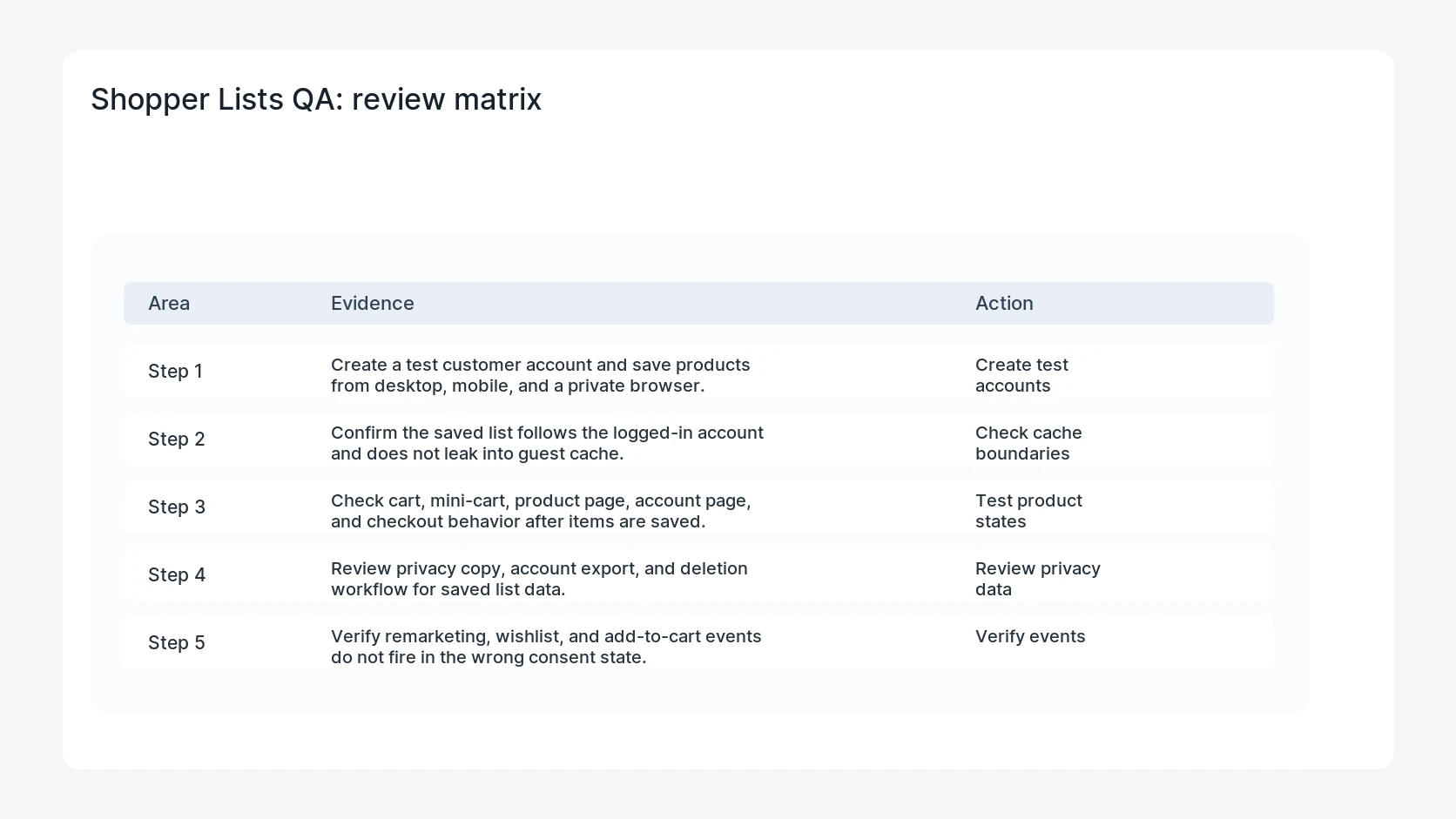
- Create a test customer account and save products from desktop, mobile, and a private browser.
- Confirm the saved list follows the logged-in account and does not leak into guest cache.
- Check cart, mini-cart, product page, account page, and checkout behavior after items are saved.
- Review privacy copy, account export, and deletion workflow for saved list data.
- Verify remarketing, wishlist, and add-to-cart events do not fire in the wrong consent state.
Diagnostic table
Use this table to keep the work practical. It connects the symptom to evidence and a verification step.
| Action | Evidence to collect | How to verify |
|---|
| Create test accounts | Create a test customer account and save products from desktop, mobile, and a private browser. | Saved products belong only to the intended logged-in customer. |
| Check cache boundaries | Confirm the saved list follows the logged-in account and does not leak into guest cache. | Guest visitors never see another customer's saved list state. |
| Test product states | Check cart, mini-cart, product page, account page, and checkout behavior after items are saved. | Out-of-stock and variation products behave predictably. |
| Review privacy data | Review privacy copy, account export, and deletion workflow for saved list data. | Tracking events respect consent and include clear product IDs. |
Why this usually happens
- Saved lists can mix account data, session data, and page cache in one shopper flow.
- Guest and logged-in cache rules can produce confusing list counts or stale buttons.
- Marketing teams may want list events, but privacy rules still control when data can be sent.
- A feature can work in the admin test account while failing for real customer roles.
Field notes
- Test with a product that has variations and another product that goes out of stock.
- Do not judge the feature from an administrator account only.
- Keep the saved-list test IDs so support can reproduce problems quickly.
Useful command or data shape
Adapt paths, IDs, and privacy handling to the site before running commands or storing data on production.
qa_accounts:
  customer_a: saved_3_products
  customer_b: empty_list
  guest_session: no_persisted_list
  cache_rule: bypass_for_account_pages
  events_to_check: add_to_wishlist, save_for_later, add_to_cart
  consent_states: granted, denied
Safe fix order
Do the work in a sequence that makes each result easy to prove. Stop if a step produces new evidence that changes the incident scope.
- Create test accounts
- Check cache boundaries
- Test product states
- Review privacy data
- Verify events
What to tell the client or owner
Give the store owner a short matrix of account, guest, mobile, cache, privacy, and tracking results before enabling the feature broadly.
Production verification checklist
- Saved products belong only to the intended logged-in customer.
- Guest visitors never see another customer's saved list state.
- Out-of-stock and variation products behave predictably.
- Tracking events respect consent and include clear product IDs.
Mistakes to avoid
- Do not judge the fix by one browser or the homepage only.
- Do not delete evidence before recording usernames, file paths, timestamps, and response headers.
- Do not add a cache, security, or tracking plugin while the original problem is still unclear.
- Do not leave test users, temporary debug logs, or broad API keys active after verification.
When HandL WP should help
Bring in help when this affects leads, checkout, search visibility, malware risk, paid media reporting, or a client production site. HandL WP can trace the issue through WordPress, hosting, cache, tracking, and Search Console, then verify the workflow after the technical fix.
If this is active on a production site, QA a WooCommerce account feature.
Related HandL WP guides
Use these related guides when the same issue touches tracking, security, checkout, or crawler visibility.
Helpful references