A WooCommerce Stripe integration can have old, test, staging, and production webhook endpoints left active at the same time. Cleanup starts by listing every endpoint, owner, event set, mode, and destination before disabling anything.
Use this when Stripe shows duplicate event deliveries, WooCommerce adds repeated order notes, refunds run twice, disputes appear in the wrong store, or staging receives live events.
Quick answer
WooCommerce Stripe Webhook Duplicate Endpoint Cleanup should be handled with a narrow evidence-first workflow: inventory endpoints, match event sets, verify secrets, then verify the result before making broader changes.
What to check first
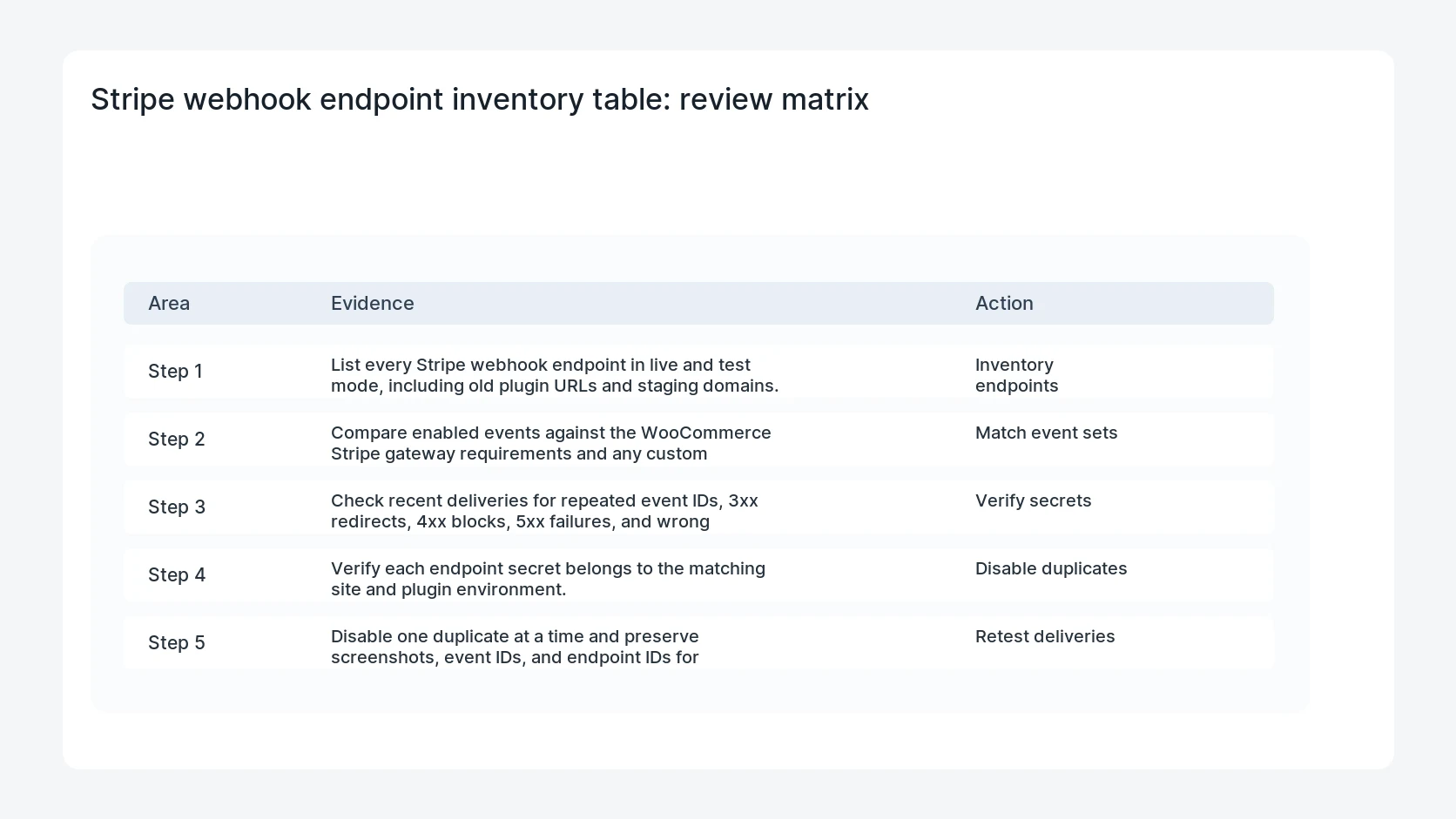
- List every Stripe webhook endpoint in live and test mode, including old plugin URLs and staging domains.
- Compare enabled events against the WooCommerce Stripe gateway requirements and any custom fulfillment logic.
- Check recent deliveries for repeated event IDs, 3xx redirects, 4xx blocks, 5xx failures, and wrong hostnames.
- Verify each endpoint secret belongs to the matching site and plugin environment.
- Disable one duplicate at a time and preserve screenshots, event IDs, and endpoint IDs for rollback.
Diagnostic table
Use this table to keep the work practical. It connects the symptom to evidence and a verification step.
| Action | Evidence to collect | How to verify |
|---|
| Inventory endpoints | List every Stripe webhook endpoint in live and test mode, including old plugin URLs and staging domains. | Only the intended production endpoint receives live WooCommerce payment events. |
| Match event sets | Compare enabled events against the WooCommerce Stripe gateway requirements and any custom fulfillment logic. | A test payment creates one order note and one successful Stripe delivery for the expected event. |
| Verify secrets | Check recent deliveries for repeated event IDs, 3xx redirects, 4xx blocks, 5xx failures, and wrong hostnames. | Refund and dispute events route to the same production store that owns the order. |
| Disable duplicates | Verify each endpoint secret belongs to the matching site and plugin environment. | Disabled endpoints are documented with the date, reason, and rollback owner. |
Why this usually happens
- A staging site was connected to live Stripe during a migration or plugin update.
- The site changed domains and the old endpoint stayed enabled in Stripe.
- A developer created a custom endpoint for testing and left the same events enabled.
- The endpoint secret was copied between sites, so signature checks no longer prove the right destination.
Field notes
- Keep event IDs as the audit key. Two deliveries with the same event ID are easier to explain than two order notes with similar text.
- Do not delete endpoints until the owner knows which URLs belong to live checkout, subscriptions, refunds, and disputes.
Useful command or data shape
Adapt paths, IDs, and privacy handling to the site before running commands or storing data on production.
stripe_webhook_inventory:
  - id: we_live_abc123
    mode: live
    url: https://store.example.com/?wc-api=wc_stripe
    events: [payment_intent.succeeded, charge.refunded, charge.dispute.created]
    status: keep
  - id: we_live_old789
    mode: live
    url: https://staging.example.com/?wc-api=wc_stripe
    events: [payment_intent.succeeded]
    status: disable_after_confirming_no_live_store
Safe fix order
Do the work in a sequence that makes each result easy to prove. Stop if a step produces new evidence that changes the incident scope.
- Inventory endpoints
- Match event sets
- Verify secrets
- Disable duplicates
- Retest deliveries
What to tell the client or owner
Send the owner a short table with endpoint IDs, URLs, status, and why each endpoint was kept, disabled, or held for further review.
Production verification checklist
- Only the intended production endpoint receives live WooCommerce payment events.
- A test payment creates one order note and one successful Stripe delivery for the expected event.
- Refund and dispute events route to the same production store that owns the order.
- Disabled endpoints are documented with the date, reason, and rollback owner.
Mistakes to avoid
- Do not judge the fix by one browser or the homepage only.
- Do not delete evidence before recording usernames, file paths, timestamps, and response headers.
- Do not add a cache, security, or tracking plugin while the original problem is still unclear.
- Do not leave test users, temporary debug logs, or broad API keys active after verification.
When HandL WP should help
Bring in help when this affects leads, checkout, search visibility, malware risk, paid media reporting, or a client production site. HandL WP can trace the issue through WordPress, hosting, cache, tracking, and Search Console, then verify the workflow after the technical fix.
If this is active on a production site, fix WooCommerce Stripe checkout issues.
Related HandL WP guides
Use these related guides when the same issue touches tracking, security, checkout, or crawler visibility.
Helpful references