A WordPress security alert is only useful if someone knows how fast to respond, what evidence to collect, who owns the fix, and when the client should be notified.
Use this for sites with Wordfence, managed security plugins, vulnerability emails, agency maintenance retainers, and client reporting requirements.
Quick answer
Wordfence Alert Severity Triage SLA should be handled with a narrow evidence-first workflow: define severity lanes, assign owners, separate noise, then verify the result before making broader changes.
What to check first
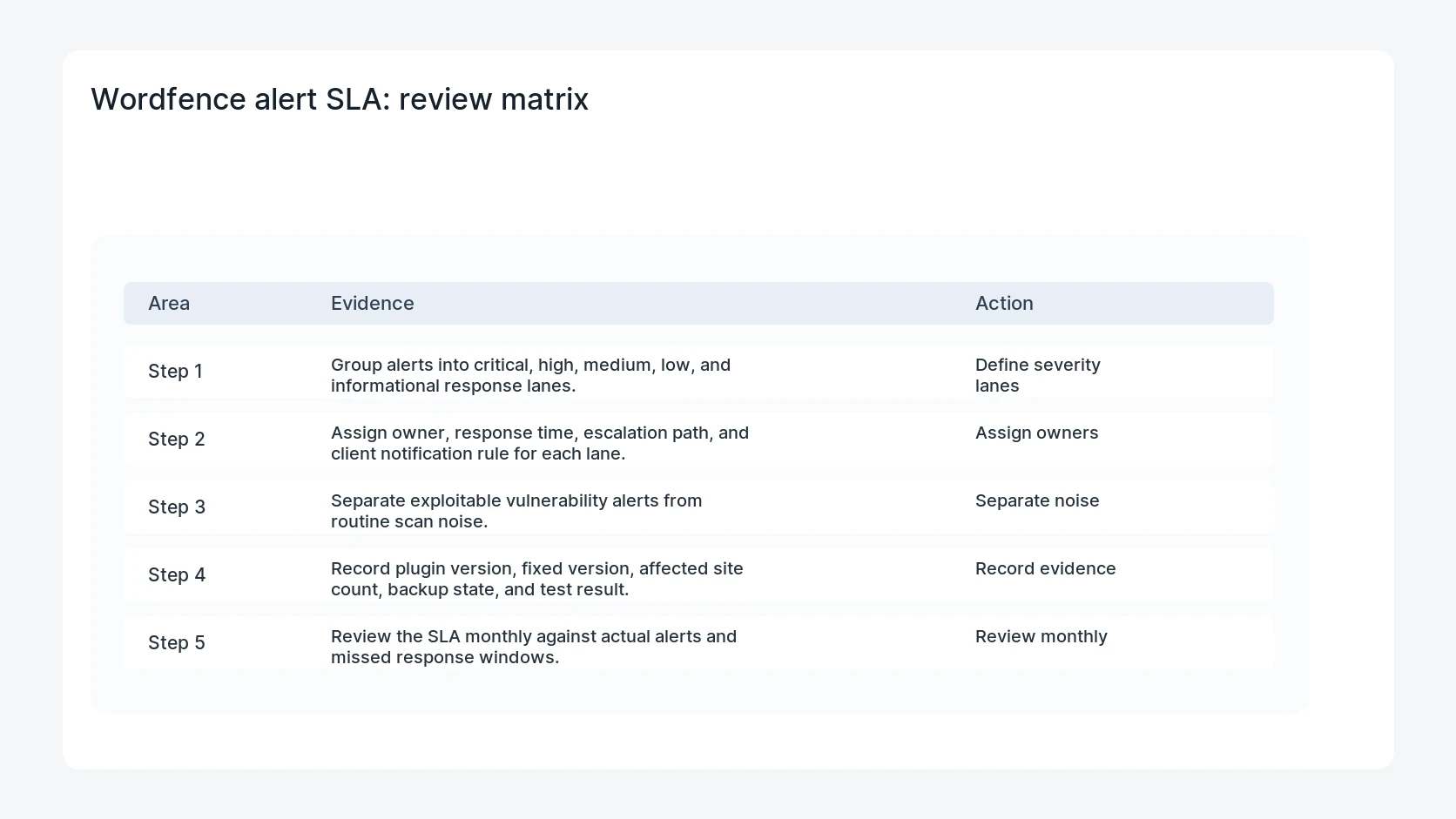
- Group alerts into critical, high, medium, low, and informational response lanes.
- Assign owner, response time, escalation path, and client notification rule for each lane.
- Separate exploitable vulnerability alerts from routine scan noise.
- Record plugin version, fixed version, affected site count, backup state, and test result.
- Review the SLA monthly against actual alerts and missed response windows.
Diagnostic table
Use this table to keep the work practical. It connects the symptom to evidence and a verification step.
| Action | Evidence to collect | How to verify |
|---|
| Define severity lanes | Group alerts into critical, high, medium, low, and informational response lanes. | Every alert severity has an owner and response time. |
| Assign owners | Assign owner, response time, escalation path, and client notification rule for each lane. | Critical plugin vulnerabilities are separated from informational notices. |
| Separate noise | Separate exploitable vulnerability alerts from routine scan noise. | Client-facing notes explain risk and action without panic. |
| Record evidence | Record plugin version, fixed version, affected site count, backup state, and test result. | Missed SLA windows are reviewed and corrected. |
Useful command or data shape
Adapt paths, IDs, and privacy handling to the site before running commands or storing data on production.
alert_sla:
  critical: respond_1_hour
  high: respond_same_business_day
  medium: respond_2_business_days
  low: weekly_review
  evidence: plugin, version, fixed_version, affected_sites, owner, status
Safe fix order
Do the work in a sequence that makes each result easy to prove. Stop if a step produces new evidence that changes the incident scope.
- Define severity lanes
- Assign owners
- Separate noise
- Record evidence
- Review monthly
Production verification checklist
- Every alert severity has an owner and response time.
- Critical plugin vulnerabilities are separated from informational notices.
- Client-facing notes explain risk and action without panic.
- Missed SLA windows are reviewed and corrected.
Mistakes to avoid
- Do not judge the fix by one browser or the homepage only.
- Do not delete evidence before recording usernames, file paths, timestamps, and response headers.
- Do not add a cache, security, or tracking plugin while the original problem is still unclear.
- Do not leave test users, temporary debug logs, or broad API keys active after verification.
When HandL WP should help
Bring in help when this affects leads, checkout, search visibility, malware risk, paid media reporting, or a client production site. HandL WP can trace the issue through WordPress, hosting, cache, tracking, and Search Console, then verify the workflow after the technical fix.
If this is active on a production site, set up WordPress security triage.
Related HandL WP guides
Use these related guides when the same issue touches tracking, security, checkout, or crawler visibility.
Close Wordfence Learning Mode with production evidence
Use the Wordfence Learning Mode exit checklist to exercise checkout, forms, uploads, REST, AJAX, webhooks, and editor actions, review learned exceptions, switch to protecting mode, and replay the same fixtures.
Helpful references