A WordPress thank-you page can load perfectly and still fail to send a Google Ads conversion. The page URL may not match the GTM trigger, cache may serve a stripped version, a redirect may skip the tag, or consent settings may prevent the conversion request.
The fix is to test the page as part of the form journey, not as a standalone URL in a browser.
Quick diagnostic map
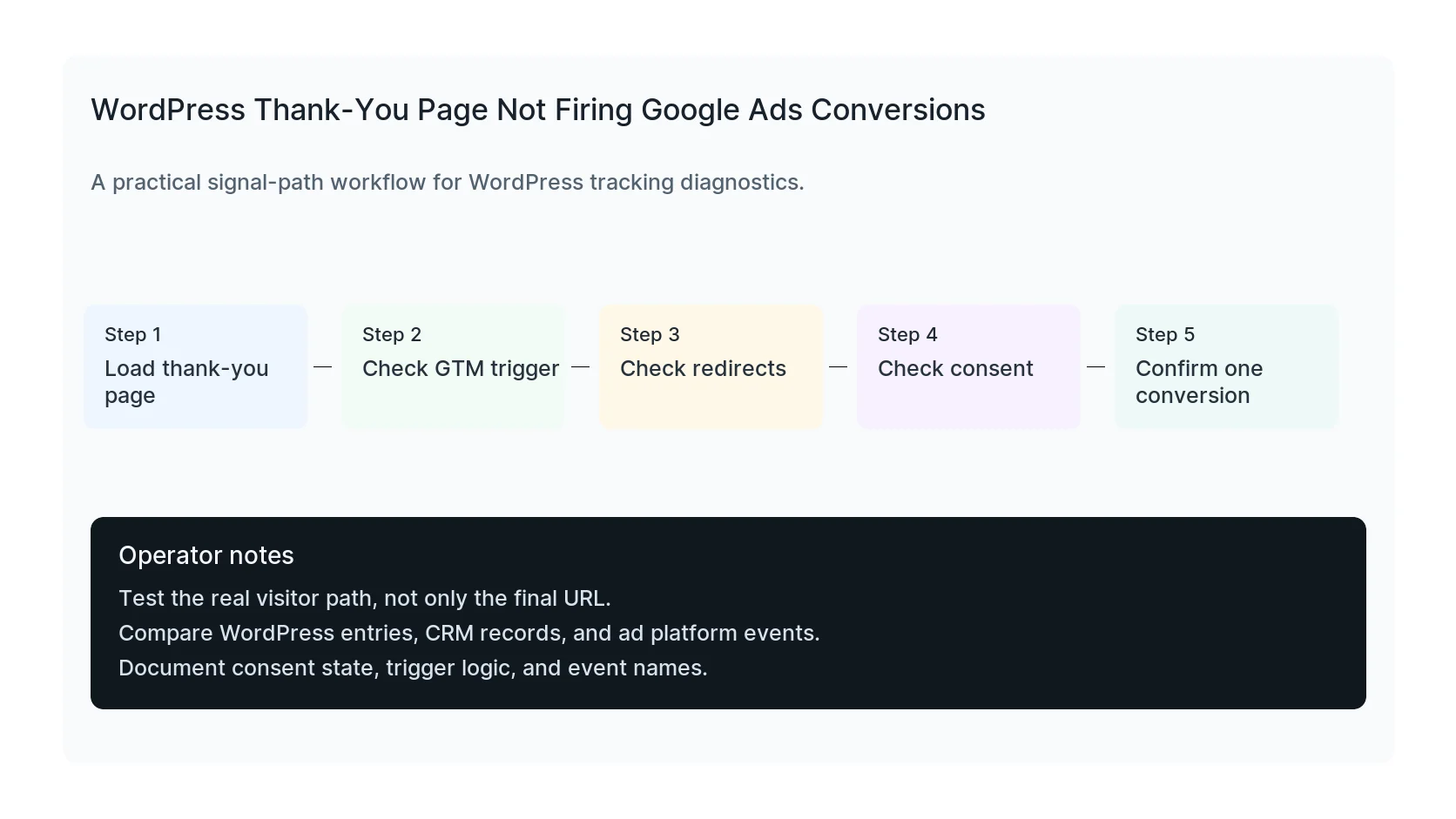
Use this map before changing tags or plugins. It keeps the investigation tied to the actual signal path instead of guessing inside dashboards.
| Signal | Meaning | First check |
|---|
| Visitor submits form | Start of the signal path | Load thank-you page |
| Redirect to thank-you | Middle layer that often breaks | Check GTM trigger |
| GTM container loads | Conversion moment to verify | Check redirects |
| Ads conversion fires | Reporting destination | Confirm one conversion |
Test from the form, not only the URL
Typing the thank-you URL into the browser proves only that the page exists. It does not prove that the form redirect, query parameters, cookies, or dataLayer state exist after a real submission.
Submit the real form in GTM Preview and inspect the event timeline.
Match the trigger carefully
A trigger for `/thank-you/` may not match `/thank-you`, `/thank-you?form=contact`, or a translated path. Use a trigger that matches the real production URL pattern and avoids firing on unrelated pages.
Avoid broad triggers that fire on every page containing the word thank.
Look for redirect and cache problems
Some forms redirect through an intermediate URL or return a success message without changing pages. Caching plugins can also serve thank-you pages without expected scripts if rules are too aggressive.
Exclude thank-you pages from problematic optimization only when needed. Keep the exclusion narrow.
Fast checks
- Open GTM Preview before submitting.
- Inspect the loaded container ID on the thank-you page.
- Check whether consent is granted at firing time.
- Confirm the Ads conversion ID and label match the Google Ads action.
- Make one test lead and compare WordPress entry, CRM, GA4, and Ads.
When a thank-you page is the wrong trigger
- If the same page can be reached without a real conversion, use a form success event instead.
- If payment confirms asynchronously, use the order confirmation or server-side event.
- If the form is embedded in a modal, use the plugin's submit success hook.
Useful test commands
Use browser tools and command-line checks together. Browser tools show client-side events. Server and API checks show what survives after WordPress handles the submission.
dataLayer.filter(e => e.event)
When to get help
If the tracking path is tied to paid spend, lead routing, healthcare privacy, or CRM reporting, do not leave it half-tested. HandL WP can trace the path across WordPress, forms, GTM, pixels, server-side events, and CRM fields. If this is active on a production site, fix Google Ads conversion tracking.
Helpful official references