Gravity Forms REST API integrations often keep running for years with credentials owned by old users, vendors, or scripts. Rotating those keys is safer when the team maps each integration, role, source IP, endpoint, and test path before revoking anything.
Use this for WordPress sites that expose Gravity Forms entries, forms, reports, or submissions to CRMs, dashboards, automation tools, mobile apps, or agency scripts.
Quick answer
Gravity Forms REST API Authentication Key Rotation Checklist should be handled with a narrow evidence-first workflow: inventory credentials, map endpoint needs, create replacement, then verify the result before making broader changes.
What to check first
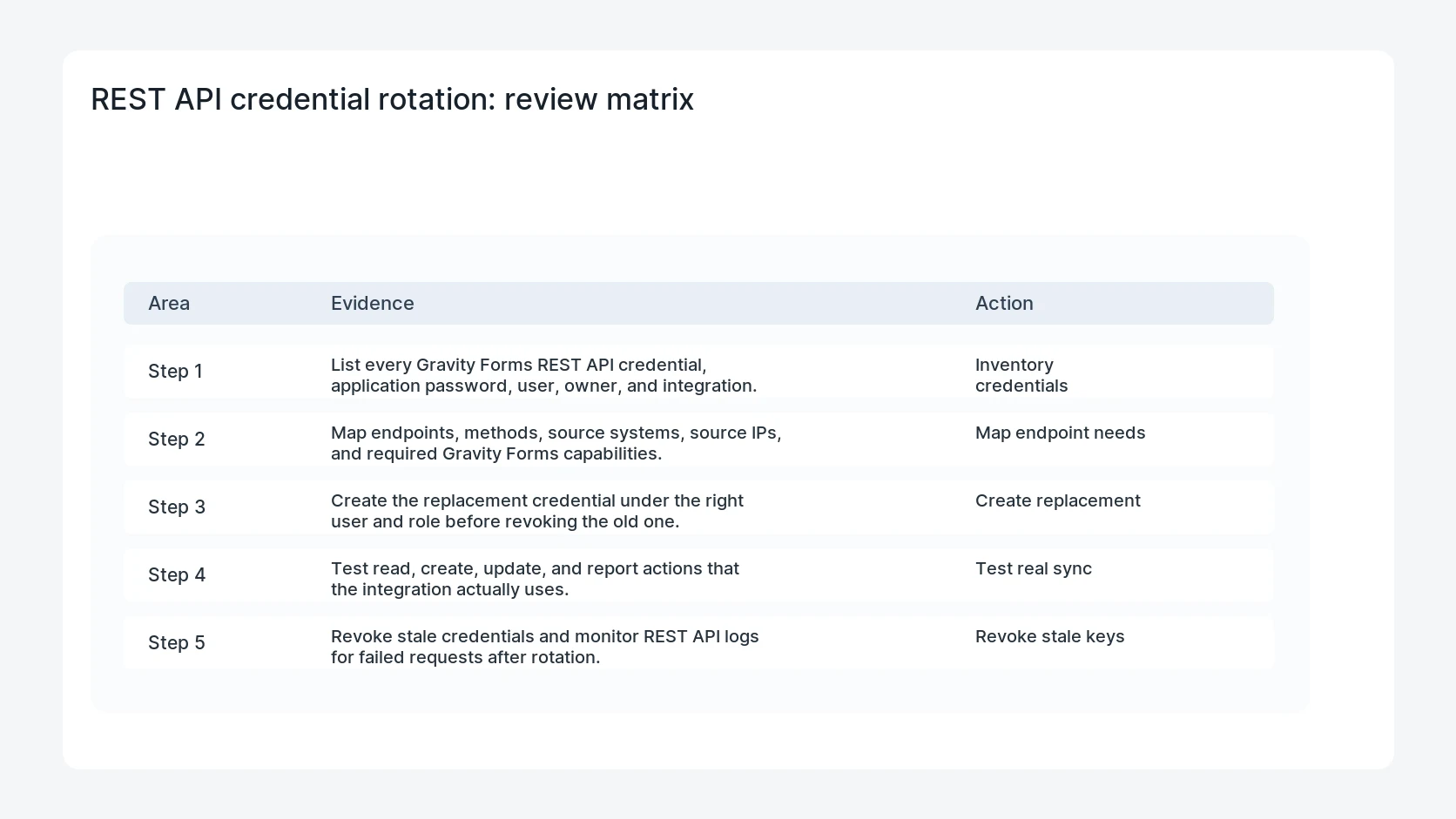
- List every Gravity Forms REST API credential, application password, user, owner, and integration.
- Map endpoints, methods, source systems, source IPs, and required Gravity Forms capabilities.
- Create the replacement credential under the right user and role before revoking the old one.
- Test read, create, update, and report actions that the integration actually uses.
- Revoke stale credentials and monitor REST API logs for failed requests after rotation.
Diagnostic table
Use this table to keep the work practical. It connects the symptom to evidence and a verification step.
| Action | Evidence to collect | How to verify |
|---|
| Inventory credentials | List every Gravity Forms REST API credential, application password, user, owner, and integration. | Every active credential has an owner, user, role, and integration name. |
| Map endpoint needs | Map endpoints, methods, source systems, source IPs, and required Gravity Forms capabilities. | The replacement key passes the same endpoint actions as the old key. |
| Create replacement | Create the replacement credential under the right user and role before revoking the old one. | Stale vendor or staff credentials are revoked. |
| Test real sync | Test read, create, update, and report actions that the integration actually uses. | Failed REST API requests are monitored after the cutover. |
Why this usually happens
- Integrations are often created by a developer account that later leaves the project.
- A credential name may not explain which CRM, report, or script depends on it.
- Changing a user role can break endpoints even when the password is correct.
- Revoking first and testing later can silently stop lead sync.
Field notes
- Never rotate every credential at once unless there is an active compromise.
- Keep one old credential active until the replacement has passed a real sync test.
- Add a rotation date and owner to the credential inventory.
Useful command or data shape
Adapt paths, IDs, and privacy handling to the site before running commands or storing data on production.
credential_inventory:
  user: api-gravity-crm
  owner: marketing_ops
  endpoints: /wp-json/gf/v2/forms/7/entries
  methods: GET, POST
  source_ip: crm_static_ip
  old_key_status: revoke_after_test
  new_key_status: active
Safe fix order
Do the work in a sequence that makes each result easy to prove. Stop if a step produces new evidence that changes the incident scope.
- Inventory credentials
- Map endpoint needs
- Create replacement
- Test real sync
- Revoke stale keys
What to tell the client or owner
Give the client the credential name, owner, endpoints tested, old credential revocation time, and one successful post-rotation request timestamp.
Production verification checklist
- Every active credential has an owner, user, role, and integration name.
- The replacement key passes the same endpoint actions as the old key.
- Stale vendor or staff credentials are revoked.
- Failed REST API requests are monitored after the cutover.
Mistakes to avoid
- Do not judge the fix by one browser or the homepage only.
- Do not delete evidence before recording usernames, file paths, timestamps, and response headers.
- Do not add a cache, security, or tracking plugin while the original problem is still unclear.
- Do not leave test users, temporary debug logs, or broad API keys active after verification.
When HandL WP should help
Bring in help when this affects leads, checkout, search visibility, malware risk, paid media reporting, or a client production site. HandL WP can trace the issue through WordPress, hosting, cache, tracking, and Search Console, then verify the workflow after the technical fix.
If this is active on a production site, rotate WordPress form API credentials.
Related HandL WP guides
Use these related guides when the same issue touches tracking, security, checkout, or crawler visibility.
Helpful references