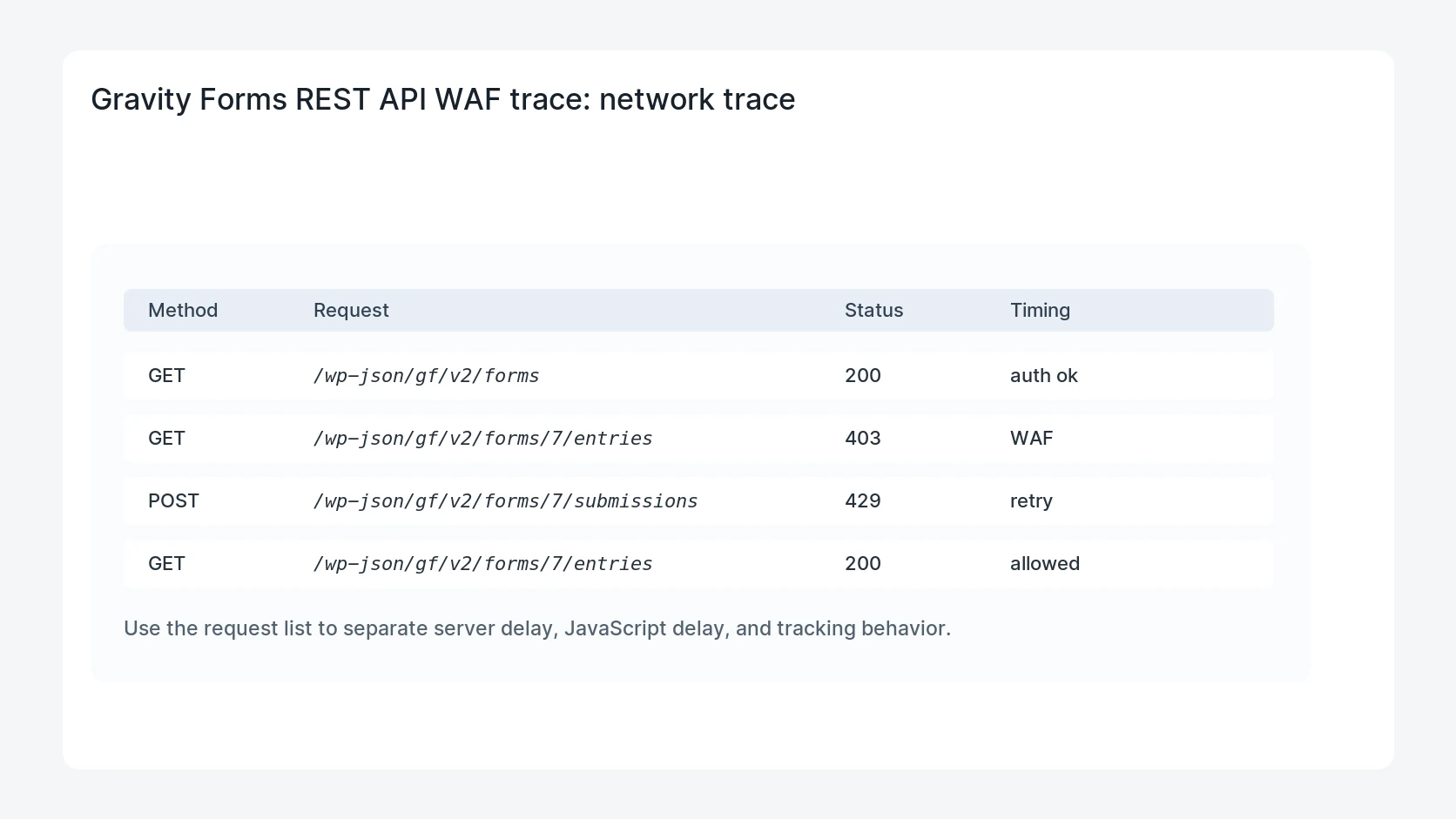
Gravity Forms integrations can fail with 403, 401, 429, or timeout errors when a WAF, CDN, security plugin, or hosting rule blocks REST API requests. The fix starts by proving which layer rejects the request and whether authentication, rate limits, or bot rules are responsible.
Use this for CRM imports, reporting tools, mobile apps, vendor integrations, or automation scripts that authenticate against Gravity Forms through the WordPress REST API.
Quick answer
Gravity Forms REST API Blocked by WAF should be handled with a narrow evidence-first workflow: map endpoint, compare responses, read security logs, then verify the result before making broader changes.
What to check first
- Identify the exact REST endpoint, method, source IP, authentication type, and user role.
- Compare responses from local server curl, external curl, and the integration host.
- Review WAF, CDN, hosting, security plugin, and WordPress logs for the same timestamp.
- Separate invalid credentials from IP reputation blocks, rate limits, and managed challenges.
- Add the narrowest allowed rule and retest with real authentication.
Diagnostic table
Use this table to keep the work practical. It connects the symptom to evidence and a verification step.
| Action | Evidence to collect | How to verify |
|---|
| Map endpoint | Identify the exact REST endpoint, method, source IP, authentication type, and user role. | The integration receives the expected REST response from its real host. |
| Compare responses | Compare responses from local server curl, external curl, and the integration host. | Invalid credentials still fail after the WAF rule is adjusted. |
| Read security logs | Review WAF, CDN, hosting, security plugin, and WordPress logs for the same timestamp. | Rate limits remain active for unknown sources. |
| Classify block | Separate invalid credentials from IP reputation blocks, rate limits, and managed challenges. | The client note lists the endpoint, source, and reason for the allow rule. |
Why this usually happens
- Security layers often protect REST endpoints with broad bot or rate rules.
- A valid application password can still fail if the request is challenged by the CDN.
- Integrations may retry quickly and trigger a rate limit after the first failure.
- Whitelisting every REST request can create more risk than the original problem.
Field notes
- Never share the full authorization header in a client note or ticket.
- Allow only the specific endpoint, method, source, and authentication pattern needed.
- Retest from the vendor host, not only from your laptop.
Useful command or data shape
Adapt paths, IDs, and privacy handling to the site before running commands or storing data on production.
curl -sS -I https://example.com/wp-json/gf/v2/forms
curl -sS -u 'api-user:application-password' https://example.com/wp-json/gf/v2/forms/7/entries
waf_review:
  endpoint: /wp-json/gf/v2/forms/7/entries
  method: GET
  source_ip: vendor_static_ip
  failure: 403_managed_challenge
  action: narrow_allow_rule
Safe fix order
Do the work in a sequence that makes each result easy to prove. Stop if a step produces new evidence that changes the incident scope.
- Map endpoint
- Compare responses
- Read security logs
- Classify block
- Retest narrow allow
What to tell the client or owner
Explain whether the block was authentication, WordPress permissions, CDN/WAF policy, hosting security, or vendor retry behavior. Include one successful request timestamp.
Production verification checklist
- The integration receives the expected REST response from its real host.
- Invalid credentials still fail after the WAF rule is adjusted.
- Rate limits remain active for unknown sources.
- The client note lists the endpoint, source, and reason for the allow rule.
Mistakes to avoid
- Do not judge the fix by one browser or the homepage only.
- Do not delete evidence before recording usernames, file paths, timestamps, and response headers.
- Do not add a cache, security, or tracking plugin while the original problem is still unclear.
- Do not leave test users, temporary debug logs, or broad API keys active after verification.
When HandL WP should help
Bring in help when this affects leads, checkout, search visibility, malware risk, paid media reporting, or a client production site. HandL WP can trace the issue through WordPress, hosting, cache, tracking, and Search Console, then verify the workflow after the technical fix.
If this is active on a production site, fix a WordPress integration.
Related HandL WP guides
Use these related guides when the same issue touches tracking, security, checkout, or crawler visibility.
Helpful references
When requests succeed but an entry correction does not reach the destination, inspect the feed contract: Gravity Forms Entry Was Edited but the CRM Did Not Update.
Once authenticated requests succeed, an incomplete export needs a different diagnosis: Gravity Forms REST API Missing Entries: Check Pagination Before Reimporting.
If Gravity Forms receives the request but reports that credentials are absent, investigate header delivery: Gravity Forms API Says Credentials Not Found? Trace the Authorization Header.