PayPal Standard is being phased out for WooCommerce merchants, so a store that still relies on it needs a controlled migration. The risky part is not only enabling a newer PayPal plugin. The store also needs order status tests, IPN review, refund handling, subscription checks, and tracking validation.
Use this for WooCommerce stores that still see PayPal Standard in payment settings, depend on old IPN behavior, or have not tested PayPal Payments 4.1.0 or a current gateway on staging.
Quick answer
WooCommerce PayPal Standard Sunset Migration Checklist should be handled with a narrow evidence-first workflow: inventory current gateway, map callback behavior, test replacement on staging, then verify the result before making broader changes.
What to check first
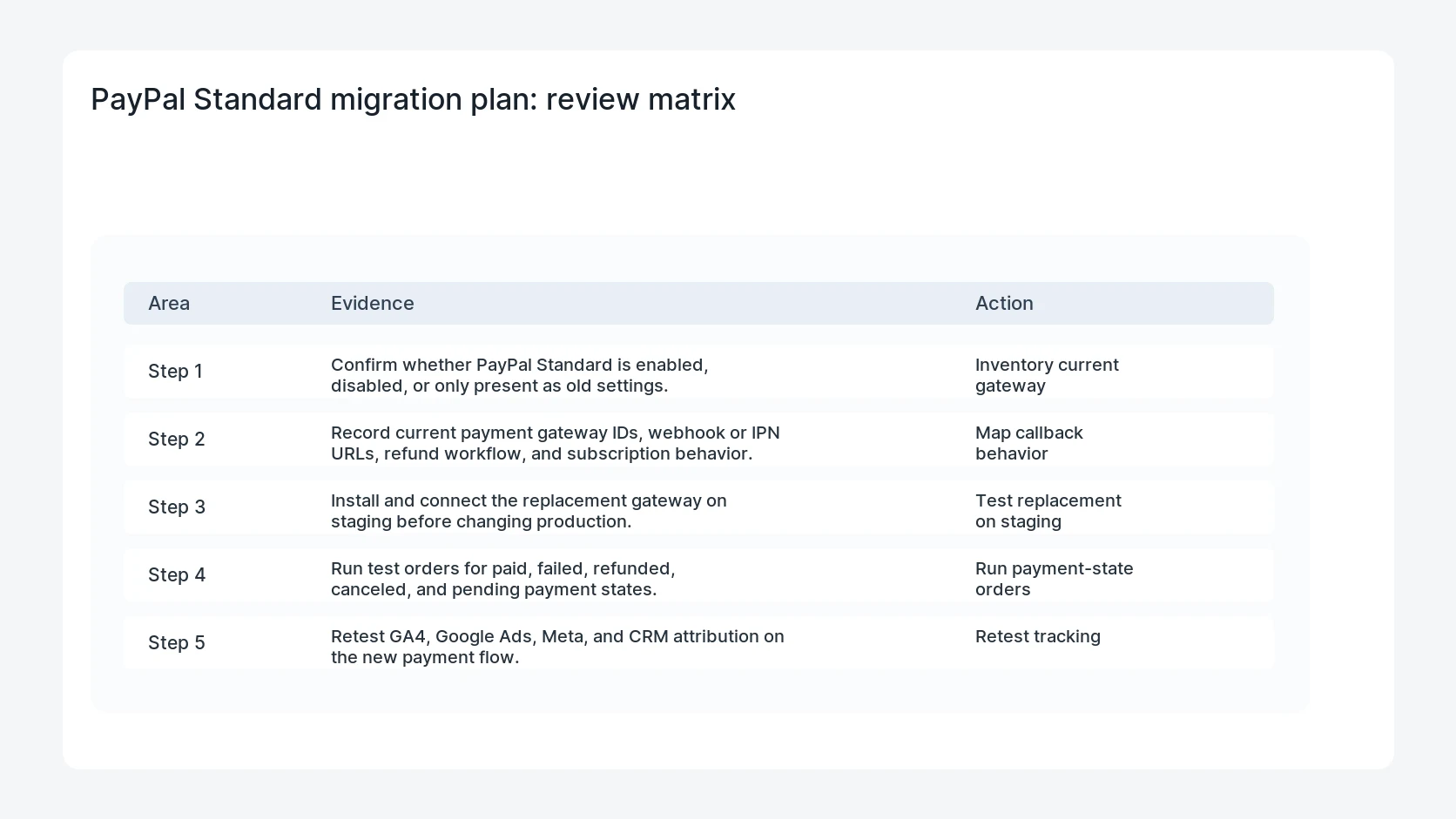
- Confirm whether PayPal Standard is enabled, disabled, or only present as old settings.
- Record current payment gateway IDs, webhook or IPN URLs, refund workflow, and subscription behavior.
- Install and connect the replacement gateway on staging before changing production.
- Run test orders for paid, failed, refunded, canceled, and pending payment states.
- Retest GA4, Google Ads, Meta, and CRM attribution on the new payment flow.
Diagnostic table
Use this table to keep the work practical. It connects the symptom to evidence and a verification step.
| Action | Evidence to collect | How to verify |
|---|
| Inventory current gateway | Confirm whether PayPal Standard is enabled, disabled, or only present as old settings. | PayPal Standard is no longer offered to shoppers after the cutover. |
| Map callback behavior | Record current payment gateway IDs, webhook or IPN URLs, refund workflow, and subscription behavior. | New PayPal orders move through the expected WooCommerce statuses. |
| Test replacement on staging | Install and connect the replacement gateway on staging before changing production. | Refunds and cancellations create the expected order notes. |
| Run payment-state orders | Run test orders for paid, failed, refunded, canceled, and pending payment states. | Purchase tracking fires once with the correct order ID and value. |
Why this usually happens
- Older stores can keep PayPal Standard active long after newer gateways were installed.
- IPN callbacks may still influence order status or custom fulfillment code.
- Payment migrations can change button behavior, redirect URLs, and thank-you page timing.
- Marketing tags often depend on the exact checkout and order-received flow.
Field notes
- Do not remove the old gateway until you know whether historic refunds or order notes depend on it.
- Keep one staging order per payment state so support can compare expected behavior.
- Use a short freeze window for production if the store has high order volume.
Useful command or data shape
Adapt paths, IDs, and privacy handling to the site before running commands or storing data on production.
migration_record:
  old_gateway: paypal_standard
  new_gateway: paypal_payments
  test_orders: paid, failed, refunded, canceled, pending
  callbacks_to_check: ipn, webhook, order_received
  tracking_events: purchase, begin_checkout, lead
  rollback_owner: store_admin
Safe fix order
Do the work in a sequence that makes each result easy to prove. Stop if a step produces new evidence that changes the incident scope.
- Inventory current gateway
- Map callback behavior
- Test replacement on staging
- Run payment-state orders
- Retest tracking
What to tell the client or owner
Tell the owner exactly when PayPal Standard was disabled, which replacement gateway is active, which test order IDs proved the migration, and whether tracking changed.
Production verification checklist
- PayPal Standard is no longer offered to shoppers after the cutover.
- New PayPal orders move through the expected WooCommerce statuses.
- Refunds and cancellations create the expected order notes.
- Purchase tracking fires once with the correct order ID and value.
Mistakes to avoid
- Do not judge the fix by one browser or the homepage only.
- Do not delete evidence before recording usernames, file paths, timestamps, and response headers.
- Do not add a cache, security, or tracking plugin while the original problem is still unclear.
- Do not leave test users, temporary debug logs, or broad API keys active after verification.
When HandL WP should help
Bring in help when this affects leads, checkout, search visibility, malware risk, paid media reporting, or a client production site. HandL WP can trace the issue through WordPress, hosting, cache, tracking, and Search Console, then verify the workflow after the technical fix.
If this is active on a production site, plan a WooCommerce payment migration.
Related HandL WP guides
Use these related guides when the same issue touches tracking, security, checkout, or crawler visibility.
For a related task: PayPal Standard Renewal Amount Mismatch After a Price Change. An expected-amount filter does not change what PayPal charged. Reconcile the payment and renewal records before modifying validation.
Helpful references