The June 2026 UpdraftPlus issue was tied to remote communications on sites connected to UpdraftCentral. Updating is required, but connected sites still deserve an access review.
October 2026: Separate the Vendor Incident From the June Bug
Checked October 25, 2026: TeamUpdraft's current incident advisory describes unauthorized access to its website and possible exposure of remote-service connection credentials. This is separate from the June plugin vulnerability discussed below. The vendor says the plugin downloads were not affected and self-hosted UpdraftCentral is outside this incident's scope.
The advisory names UpdraftPlus 1.26.13 free and 2.26.13 Premium or later for connection revocation. Follow its direct-site disconnection and account-security instructions, then verify the actual keys and installed build. Premium users should inspect their sites even if they do not recall using UpdraftCentral. Include unexpected editor accounts as well as administrators. A version check is not a malware-cleanup result.
Preserve a private incident record before removing suspicious users or files. Compare creation times with authorized work and ask the host to retain relevant logs. Do not post connection keys, backup credentials or customer records in public support threads.
If compromise is suspected, isolate the affected installation and have the responsible team assess a clean restore and credential rotation before reconnecting management. Verify a new backup reaches its intended remote destination after recovery. UpdraftVault requires reconnection following the vendor's credential reset. Treat this as a recovery check, not proof that old backups are clean.
Use the WordPress incident-response guide for the containment sequence and request a focused security review if unexpected access remains unexplained.
Use this if the site runs UpdraftPlus and has ever been connected to UpdraftCentral, a remote dashboard, or agency management tooling.
Quick answer
Start with evidence, not a plugin setting. The first useful checks are: Confirm the free and premium plugin versions are patched. Check whether the site is connected to UpdraftCentral or a self-hosted management dashboard. Review admin users and plugin install history after the likely exposure window. Keep every change small enough to reverse.
Fast diagnosis map
Use this map before changing production. It helps separate a real platform issue from a cached page, stale setting, or missing handoff.
| Signal | What it means | Useful next check |
|---|
| Old UpdraftPlus version | Check access, users, or ownership first | Patch UpdraftPlus |
| UpdraftCentral connected | Look for a configuration, plugin, or data mismatch | Review remote connection |
| Unexpected admin | Inspect the layer most likely to be hidden from the normal UI | Audit admin users |
| New plugin after backup event | Prove whether the problem is still active | Check plugin changes |
What to check first
- Confirm the free and premium plugin versions are patched.
- Check whether the site is connected to UpdraftCentral or a self-hosted management dashboard.
- Review admin users and plugin install history after the likely exposure window.
- Look for newly installed plugins, modified mu-plugins, and suspicious scheduled tasks.
- Rotate secrets if an unapproved admin, plugin, or file change appears.
Run a focused check
These commands or fields give you a useful starting point. Adapt paths, IDs, and privacy handling to the site before running anything on production.
wp plugin get updraftplus --field=version
wp user list --role=administrator --fields=ID,user_login,user_email,user_registered
wp plugin list --fields=name,status,version,update
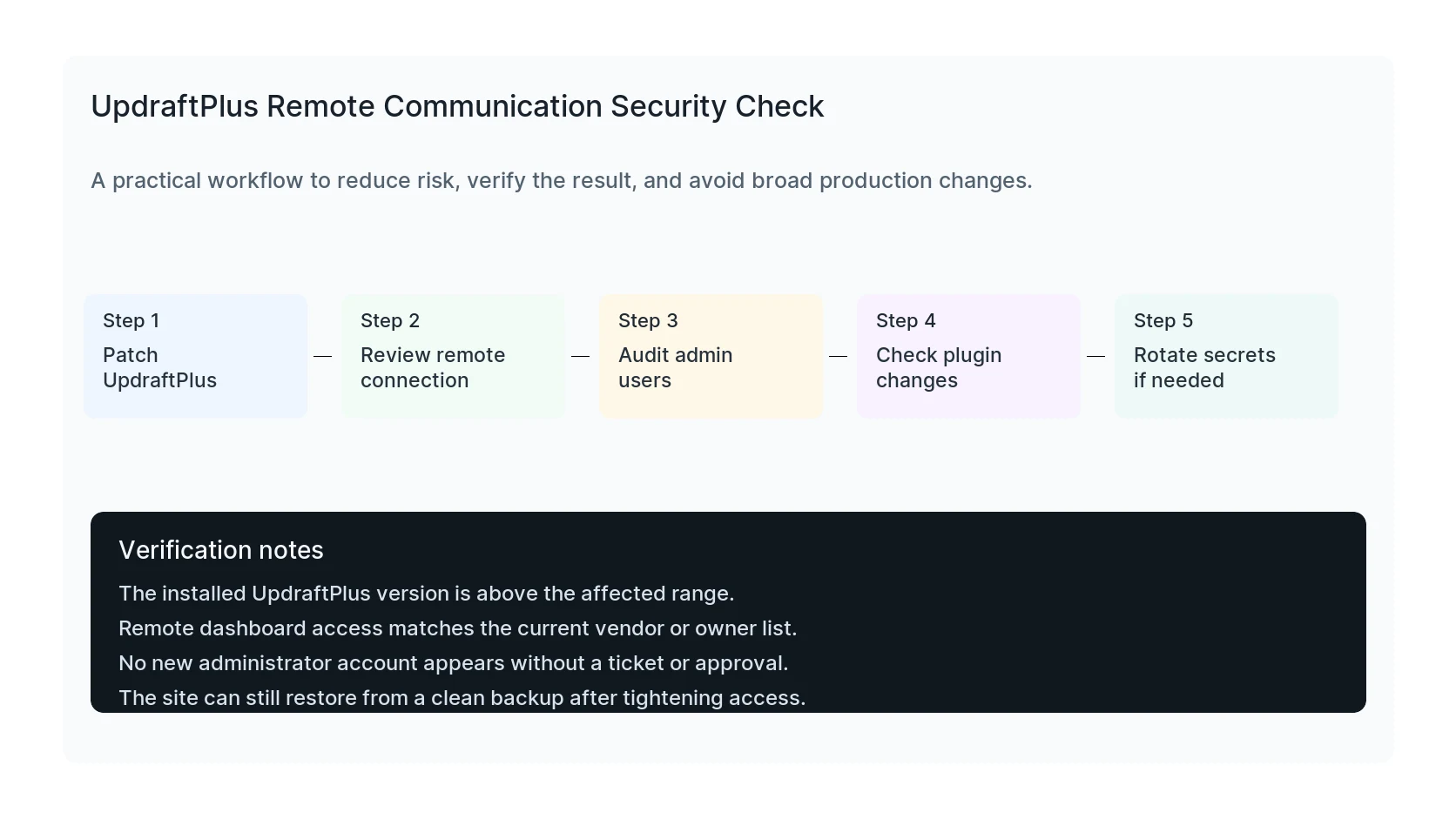
Safe fix order
Do the work in this order so each result can be verified. If a step fails, stop and capture the evidence before making a broader change.
- Patch UpdraftPlus
- Review remote connection
- Audit admin users
- Check plugin changes
- Rotate secrets if needed
Verification checklist
The fix is not done when the warning disappears. Confirm the result from the visitor side, admin side, and reporting side.
- The installed UpdraftPlus version is above the affected range.
- Remote dashboard access matches the current vendor or owner list.
- No new administrator account appears without a ticket or approval.
- The site can still restore from a clean backup after tightening access.
Mistakes to avoid
- Do not judge the result by the homepage only.
- Do not clear every cache layer until you know which layer affects the symptom.
- Do not delete evidence before copying filenames, timestamps, versions, and affected URLs.
- Do not make privacy or crawler decisions without writing down the business reason.
- Do not leave temporary debug settings, test accounts, or broad permissions in place.
When HandL WP should help
Bring in help when the issue affects leads, checkout, ads, malware risk, search visibility, or a client production site. HandL WP can trace the problem through WordPress, hosting, tracking, cache, and Search Console, then verify the business workflow after the technical fix.
If this is active on a production site, review a WordPress plugin vulnerability.
Helpful references