If a PayPal Payments order is paid but remains pending in WooCommerce, treat it as a webhook and order-status evidence problem first. The goal is to prove whether PayPal sent the event, WooCommerce received it, and the store changed the order status correctly.
Use this when a store owner sees captured PayPal funds, a PayPal transaction ID, or a customer receipt while WooCommerce still shows Pending payment, Pending, or a status that blocks fulfillment.
Quick answer
WooCommerce PayPal Payments Order Status Pending After Paid should be handled with a narrow evidence-first workflow: record payment evidence, check webhook delivery, verify account mode, then verify the result before making broader changes.
What to check first
- Open the order notes and record the PayPal transaction ID, capture ID, gateway response, and timestamps.
- Check PayPal Payments logs for webhook delivery, signature validation, status mapping, and errors near the order time.
- Confirm the store is connected to the correct PayPal account and not mixing sandbox, live, or old PayPal Standard settings.
- Review stock reduction, fraud review, subscription, and custom order status rules before forcing a completed status.
- Test a small sandbox payment after clearing cache and security rules that may block callback or webhook paths.
Diagnostic table
Use this table to keep the work practical. It connects the symptom to evidence and a verification step.
| Action | Evidence to collect | How to verify |
|---|
| Record payment evidence | Open the order notes and record the PayPal transaction ID, capture ID, gateway response, and timestamps. | The WooCommerce order notes show the same PayPal ID that appears in the PayPal dashboard. |
| Check webhook delivery | Check PayPal Payments logs for webhook delivery, signature validation, status mapping, and errors near the order time. | The webhook path receives a 2xx response and no WAF block for the payment event. |
| Verify account mode | Confirm the store is connected to the correct PayPal account and not mixing sandbox, live, or old PayPal Standard settings. | The final order status matches the gateway event, stock behavior, and fulfillment rule. |
| Review status rules | Review stock reduction, fraud review, subscription, and custom order status rules before forcing a completed status. | A new sandbox order moves through the expected status sequence without manual editing. |
Why this usually happens
- The PayPal event reaches the site but fails during validation, logging, or order note creation.
- A security plugin, WAF, or host rule blocks the webhook endpoint before WooCommerce can process it.
- Legacy PayPal Standard settings remain active during a migration and confuse the checkout status path.
- A custom status plugin changes the normal pending, processing, completed, or on-hold sequence.
- The payment is authorized or under review rather than captured, so WooCommerce should not fulfill it yet.
Field notes
- Do not mark the order completed just because PayPal shows money moved. First record whether the event was captured, authorized, refunded, reversed, or pending review.
- The safest owner update includes the PayPal ID, WooCommerce order ID, current status, expected status, and whether fulfillment is safe.
Useful command or data shape
Adapt paths, IDs, and privacy handling to the site before running commands or storing data on production.
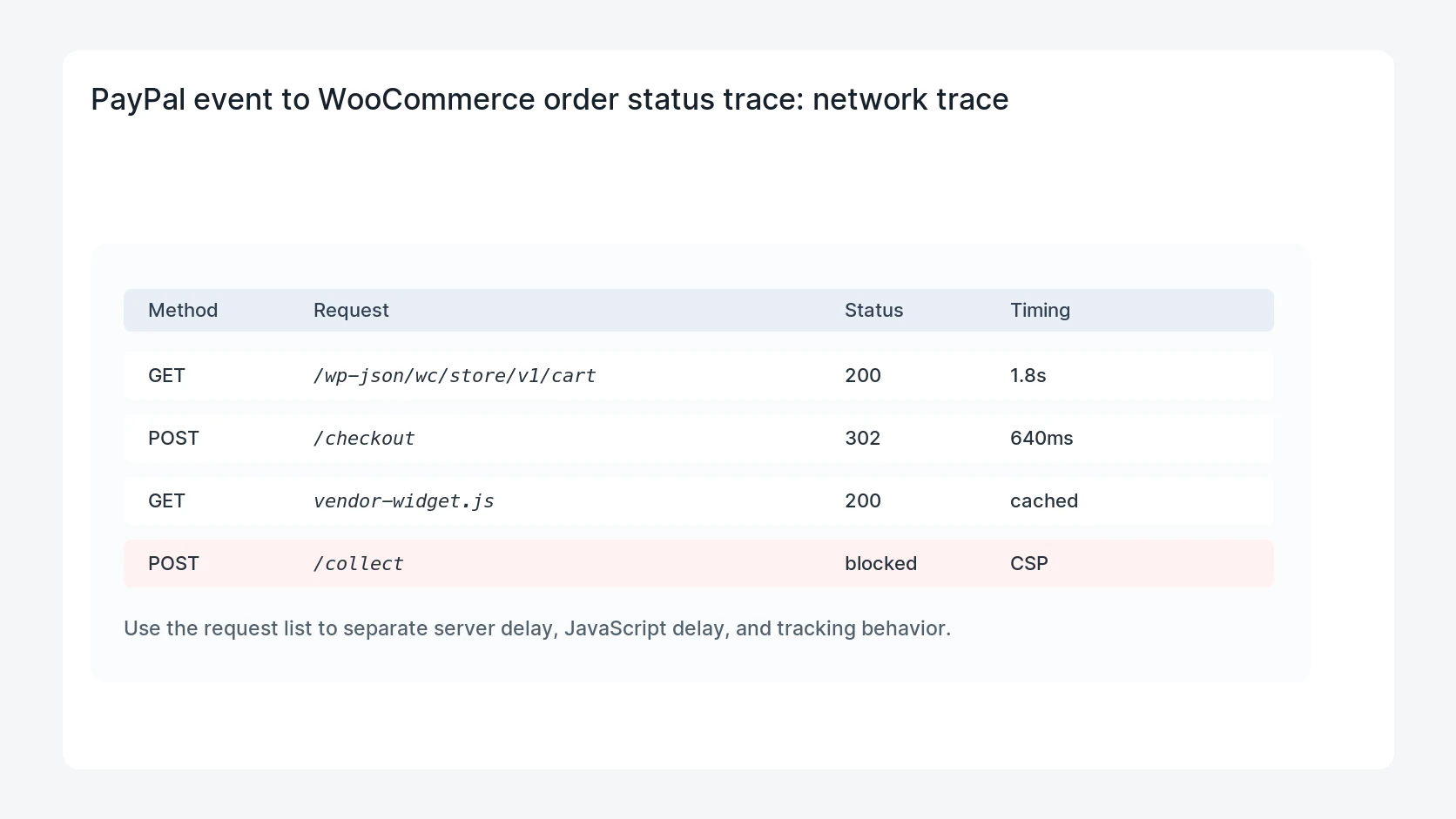
order_status_trace:
  order_id: 10452
  current_status: pending
  paypal_transaction_id: 6AB12345CD678901E
  paypal_event: CHECKOUT.ORDER.APPROVED
  capture_status: COMPLETED
  webhook_received: true
  woo_order_note_created: false
  next_check: PayPal Payments log and WAF access log
Safe fix order
Do the work in a sequence that makes each result easy to prove. Stop if a step produces new evidence that changes the incident scope.
- Record payment evidence
- Check webhook delivery
- Verify account mode
- Review status rules
- Retest safely
What to tell the client or owner
Tell the owner whether the order is safe to fulfill, what evidence proves the payment state, and whether the site needs a webhook, cache, or gateway configuration fix.
Production verification checklist
- The WooCommerce order notes show the same PayPal ID that appears in the PayPal dashboard.
- The webhook path receives a 2xx response and no WAF block for the payment event.
- The final order status matches the gateway event, stock behavior, and fulfillment rule.
- A new sandbox order moves through the expected status sequence without manual editing.
Mistakes to avoid
- Do not judge the fix by one browser or the homepage only.
- Do not delete evidence before recording usernames, file paths, timestamps, and response headers.
- Do not add a cache, security, or tracking plugin while the original problem is still unclear.
- Do not leave test users, temporary debug logs, or broad API keys active after verification.
When HandL WP should help
Bring in help when this affects leads, checkout, search visibility, malware risk, paid media reporting, or a client production site. HandL WP can trace the issue through WordPress, hosting, cache, tracking, and Search Console, then verify the workflow after the technical fix.
If this is active on a production site, get WooCommerce checkout and payment status help.
Related HandL WP guides
Use these related guides when the same issue touches tracking, security, checkout, or crawler visibility.
Test webhook event identity and status sequence
When a verified payment still leaves the order pending, run the PayPal webhook idempotency and order status sequence test to replay duplicates, delay captures, reject stale events, and reconcile stock, emails, fulfillment, and conversion side effects.
Test certificate refresh in PayPal webhook verification
If payment is complete but the order remains pending, use the PayPal webhook certificate rotation test to cover cache expiry, network failure, clock skew, replay, endpoint rotation, and safe rejection before changing order state.
Helpful references