Moving from PayPal Standard to a newer PayPal Payments setup can change redirects, button placement, callback behavior, thank-you page timing, and order status updates. If the store relies on Google Ads, GA4, Meta, or CRM reporting, the migration must be tested as a tracking change, not only as a payment setting.
Use this for WooCommerce stores replacing PayPal Standard, adding PayPal Payments, or cleaning up old PayPal gateway settings while paid campaigns and revenue reporting are active.
Quick answer
WooCommerce PayPal Standard to PayPal Payments Tracking Migration should be handled with a narrow evidence-first workflow: snapshot old flow, create state tests, map ids, then verify the result before making broader changes.
What to check first
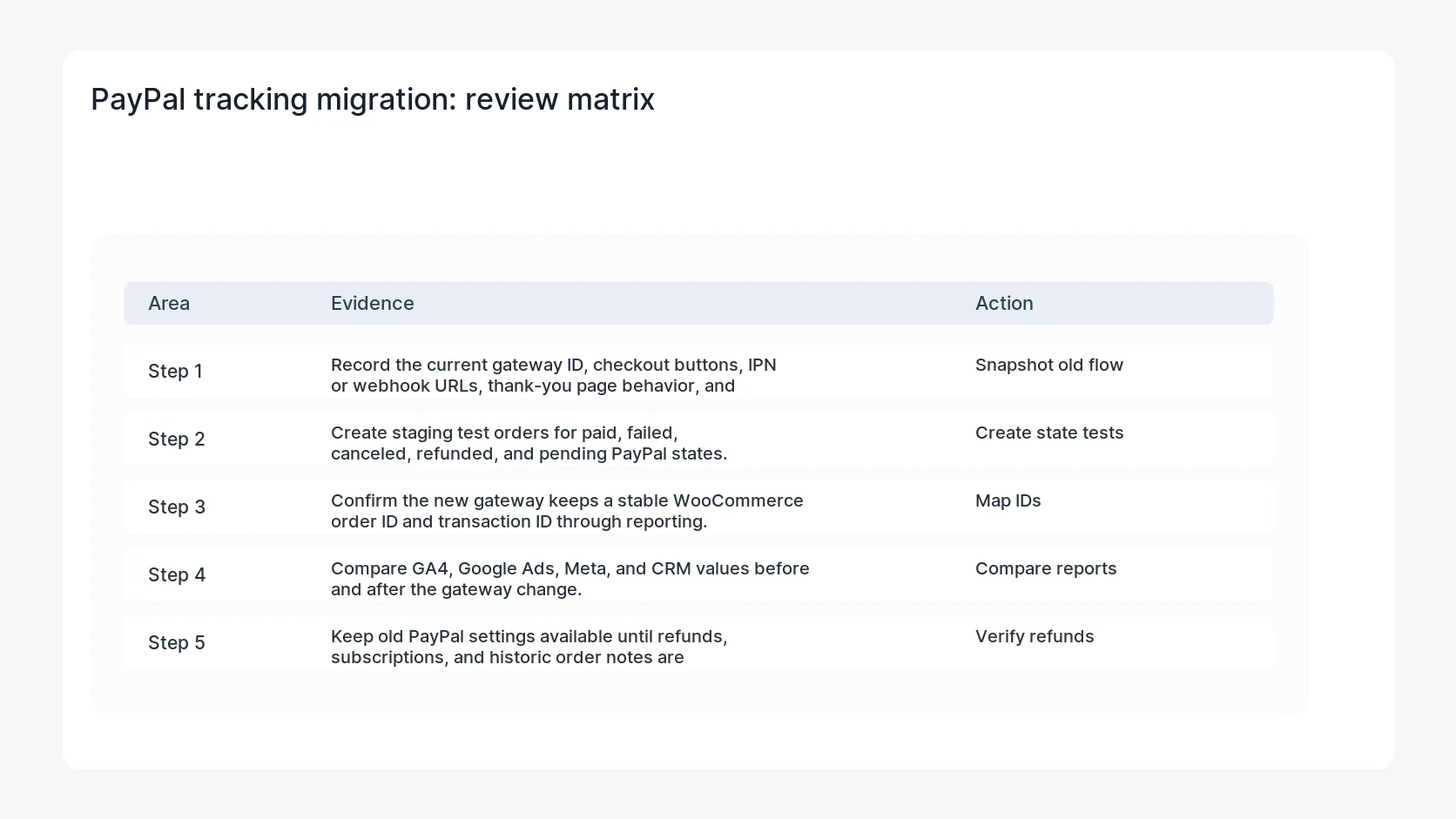
- Record the current gateway ID, checkout buttons, IPN or webhook URLs, thank-you page behavior, and purchase event triggers.
- Create staging test orders for paid, failed, canceled, refunded, and pending PayPal states.
- Confirm the new gateway keeps a stable WooCommerce order ID and transaction ID through reporting.
- Compare GA4, Google Ads, Meta, and CRM values before and after the gateway change.
- Keep old PayPal settings available until refunds, subscriptions, and historic order notes are verified.
Diagnostic table
Use this table to keep the work practical. It connects the symptom to evidence and a verification step.
| Action | Evidence to collect | How to verify |
|---|
| Snapshot old flow | Record the current gateway ID, checkout buttons, IPN or webhook URLs, thank-you page behavior, and purchase event triggers. | New PayPal purchases fire one purchase event with the correct order ID and value. |
| Create state tests | Create staging test orders for paid, failed, canceled, refunded, and pending PayPal states. | Refunds and cancellations reconcile with WooCommerce and ad reports. |
| Map IDs | Confirm the new gateway keeps a stable WooCommerce order ID and transaction ID through reporting. | Campaign, click ID, and consent fields survive checkout. |
| Compare reports | Compare GA4, Google Ads, Meta, and CRM values before and after the gateway change. | Historic PayPal orders remain readable for support and accounting. |
Why this usually happens
- Old PayPal Standard flows often depend on IPN or redirect timing that newer payment plugins do not reuse.
- Tracking tags can fire from the thank-you page, browser event, server event, or CRM sync, so one gateway change touches several systems.
- Express buttons can bypass custom checkout fields that hold campaign or consent data.
- Refund reporting may depend on transaction IDs that differ between gateway generations.
Field notes
- Use a small test order with clear UTM values and a note in the customer name so it is easy to find.
- Do not judge the migration from one successful payment. Failed and refunded states matter.
- Keep a mapping of old gateway labels to new gateway labels for support and accounting.
Useful command or data shape
Adapt paths, IDs, and privacy handling to the site before running commands or storing data on production.
tracking_migration:
  old_gateway: paypal_standard
  new_gateway: paypal_payments
  test_orders: paid, failed, canceled, refunded, pending
  ids_to_compare: order_id, transaction_id, event_id, gclid, fbclid
  reports_to_check: ga4, google_ads, meta_events, crm_revenue
Safe fix order
Do the work in a sequence that makes each result easy to prove. Stop if a step produces new evidence that changes the incident scope.
- Snapshot old flow
- Create state tests
- Map IDs
- Compare reports
- Verify refunds
What to tell the client or owner
Tell the store owner which PayPal gateway is active, which test orders passed, what changed in tracking, and whether refunds or subscriptions need a longer watch window.
Production verification checklist
- New PayPal purchases fire one purchase event with the correct order ID and value.
- Refunds and cancellations reconcile with WooCommerce and ad reports.
- Campaign, click ID, and consent fields survive checkout.
- Historic PayPal orders remain readable for support and accounting.
Mistakes to avoid
- Do not judge the fix by one browser or the homepage only.
- Do not delete evidence before recording usernames, file paths, timestamps, and response headers.
- Do not add a cache, security, or tracking plugin while the original problem is still unclear.
- Do not leave test users, temporary debug logs, or broad API keys active after verification.
When HandL WP should help
Bring in help when this affects leads, checkout, search visibility, malware risk, paid media reporting, or a client production site. HandL WP can trace the issue through WordPress, hosting, cache, tracking, and Search Console, then verify the workflow after the technical fix.
If this is active on a production site, protect WooCommerce payment tracking.
Related HandL WP guides
Use these related guides when the same issue touches tracking, security, checkout, or crawler visibility.
Helpful references