Agencies often receive vulnerability feed alerts across many client sites. The valuable work is not forwarding raw alerts. It is matching affected components to each site, checking exposure, deciding patch order, proving backups, assigning owners, and recording proof of fix.
Use this for agencies, care plan teams, white-label teams, and WordPress operators responsible for multiple client sites with Wordfence or similar vulnerability intelligence.
Quick answer
Wordfence Vulnerability Feed Agency Patch Priority Board should be handled with a narrow evidence-first workflow: match components, classify exposure, confirm backups, then verify the result before making broader changes.
What to check first
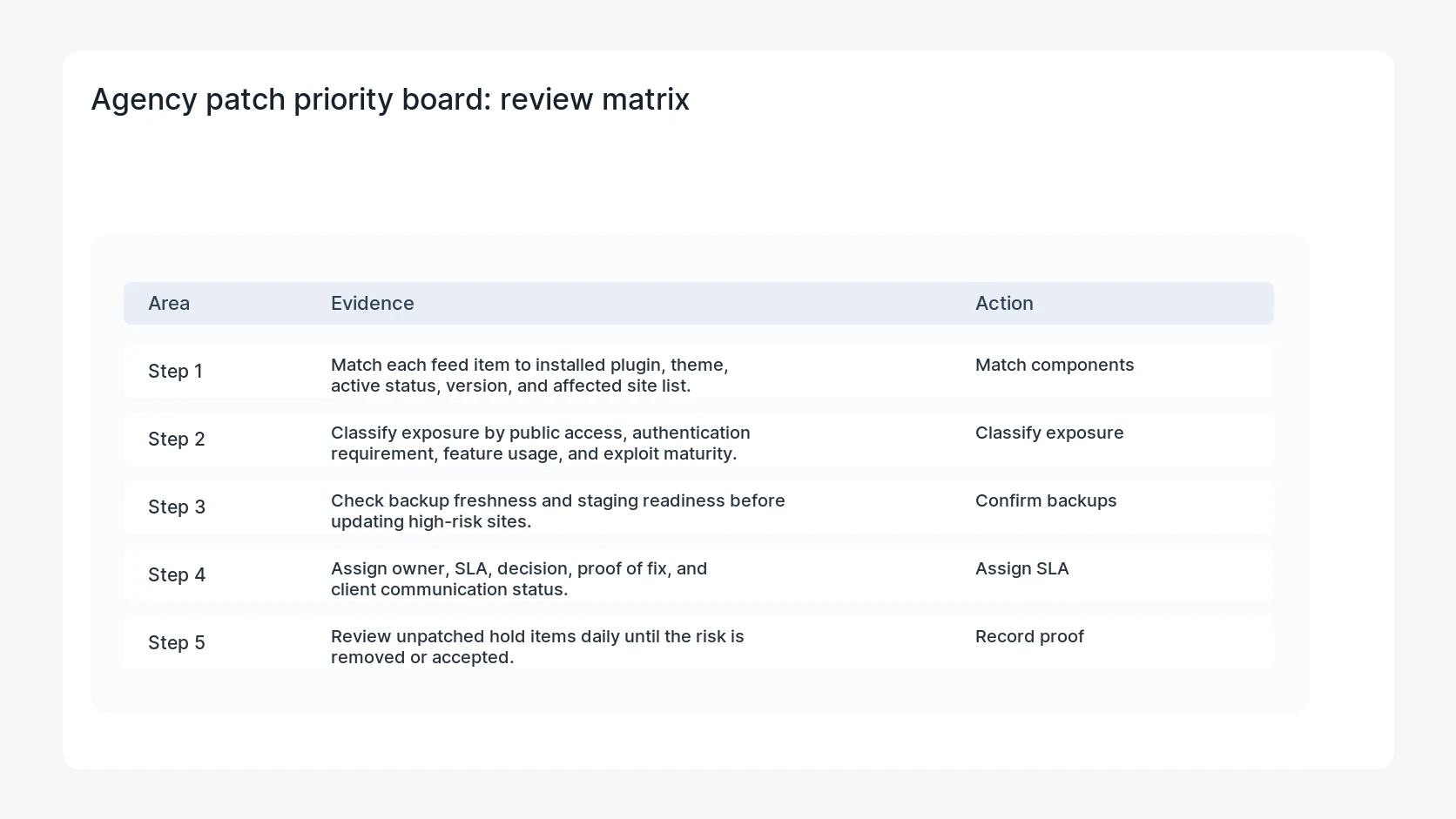
- Match each feed item to installed plugin, theme, active status, version, and affected site list.
- Classify exposure by public access, authentication requirement, feature usage, and exploit maturity.
- Check backup freshness and staging readiness before updating high-risk sites.
- Assign owner, SLA, decision, proof of fix, and client communication status.
- Review unpatched hold items daily until the risk is removed or accepted.
Diagnostic table
Use this table to keep the work practical. It connects the symptom to evidence and a verification step.
| Action | Evidence to collect | How to verify |
|---|
| Match components | Match each feed item to installed plugin, theme, active status, version, and affected site list. | Every feed item has an affected, not affected, monitor, or hold decision. |
| Classify exposure | Classify exposure by public access, authentication requirement, feature usage, and exploit maturity. | Critical and high exposure items have owners and due dates. |
| Confirm backups | Check backup freshness and staging readiness before updating high-risk sites. | Patched rows include live version evidence. |
| Assign SLA | Assign owner, SLA, decision, proof of fix, and client communication status. | Client notes are factual and tied to site-specific action. |
Why this usually happens
- A global vulnerability feed does not know which client sites are affected.
- Severity alone can mislead when the vulnerable feature is not active or not exposed.
- Agencies need proof that a patch landed, not only a task saying done.
- Client communication becomes easier when the board separates affected, not affected, and watching.
Field notes
- Keep the board simple enough for daily review.
- Use the same exposure labels each week so trend reporting is possible.
- Record why an item is on hold, not only that it is on hold.
Useful command or data shape
Adapt paths, IDs, and privacy handling to the site before running commands or storing data on production.
patch_board_row:
  site: client-shop-04
  component: sample-plugin
  installed_version: 3.1.2
  affected: yes
  exposure: public_form
  decision: patch_now
  owner: care_team
  proof: live_version_3.1.3
  client_note: sent
Safe fix order
Do the work in a sequence that makes each result easy to prove. Stop if a step produces new evidence that changes the incident scope.
- Match components
- Classify exposure
- Confirm backups
- Assign SLA
- Record proof
What to tell the client or owner
Send a short board summary: patched today, testing today, not affected, held with reason, and risks needing owner approval.
Production verification checklist
- Every feed item has an affected, not affected, monitor, or hold decision.
- Critical and high exposure items have owners and due dates.
- Patched rows include live version evidence.
- Client notes are factual and tied to site-specific action.
Mistakes to avoid
- Do not judge the fix by one browser or the homepage only.
- Do not delete evidence before recording usernames, file paths, timestamps, and response headers.
- Do not add a cache, security, or tracking plugin while the original problem is still unclear.
- Do not leave test users, temporary debug logs, or broad API keys active after verification.
When HandL WP should help
Bring in help when this affects leads, checkout, search visibility, malware risk, paid media reporting, or a client production site. HandL WP can trace the issue through WordPress, hosting, cache, tracking, and Search Console, then verify the workflow after the technical fix.
If this is active on a production site, manage WordPress patch priority.
Related HandL WP guides
Use these related guides when the same issue touches tracking, security, checkout, or crawler visibility.
Helpful references